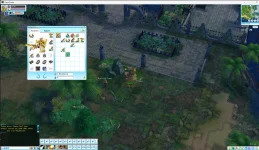
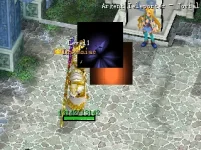
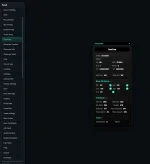
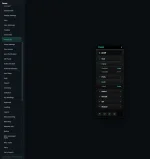
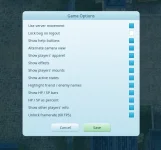
The text is not displayed because the virtual function in the component's ancestor is not declared virtual in the UI controls' descendants. Therefore, it cannot set the text. This has already been fixed. It has also been translated to the new UI.
View attachment 639
Yes, I noticed that you're fixing those things, and I appreciate it.
The thing is, the last time I actively worked on a server was back around the 2000s, and definitely not at the level you guys are developing at today. You developers are absolute wizards when it comes to system design and organization. =)
The first thing that pushed me away was that every account I used—both existing and newly created ones—was automatically muted. I couldn't write anything in chat or properly test things.
The second issue was the broken UI, although I can see you've already fixed a lot of that, which is great.
The third issue is that your build files don't include the BIN/TXT structure. Because of that, PKO Admin can't properly read or recognize many files. As a result, I can't easily find or modify things like drop functions, glow effects, and other gameplay-related settings.
There's also the unusual arrow-key movement system, which seems to interfere with the classic camera controls that traditionally relied on the mouse wheel. That's something I found strange as well.
Compared to the old Mothanna project, yours feels much less beginner-friendly. Mothanna was easier for people like me—those who either never worked with systems like this before or are still learning. Honestly, it's difficult for me to keep up with your level of development, all the updates, and the technical terminology. My professional background is completely different from software development.
And constantly bombarding you with questions every time I don't understand something would be unreasonable.
By the way, I'm not sure whether it's caused by the optimized visual effects (windmills, loot bags, monster drops, etc.) or by moving from one structure to another, but I've noticed that the camera behind the character stutters. The character initially starts moving smoother and faster, but after a fraction of a second you can clearly see the camera begin to jitter.
I'd genuinely enjoy exploring and experimenting with the project, but unfortunately everything is organized at such an advanced level that, as a beginner, I no longer have access to the basic things I understood back in the 2000s.
I've also noticed that some people here aren't particularly friendly toward those who are simply trying to learn and end up asking what might seem like stupid questions to experienced developers like yourselves.
So that's pretty much how I feel about it.
One more thing I'd like to add:
I have enormous respect and gratitude for everyone who shares information and helps others understand how to deal with different situations. But let's be honest—I still have a very long way to go before reaching your level.
Right now I've actually gone back to Mothanna. I reinstalled the database, and somehow my language configuration got reset. I opened the C++ project, changed the values back from 0x80 to 0x100 in two places, and then everything started falling apart.
Suddenly I was dealing with countless errors and issues.
At one point I could successfully build Game_D, rename it to Game, copy the 3D DLL from the library, and the client would launch normally.
Then, after numerous Visual C++ updates, my toolsets changed from v143 to v145. I honestly have no idea what exactly it's doing differently behind the scenes, but here's the strange part:
Even with the new 3D DLL, the old Game.exe still launches perfectly fine.
I build in Debug Win32, exactly the same way I always did before.
However, the newly built executable now only compiles under v145. When I rename Game_D to Game and replace the executable, the client crashes immediately at startup.
I also modified the font in Front.lua exactly the same way I used to, recompiled it, and in the past it always worked. Now the game simply closes without any error.
If I restore the old Game.exe, everything works again—but my font changes are gone, of course.
So here I am, a beginner, trying to understand how things work. I have at least a basic understanding of the system and I'm doing my best to learn. Yet I'm facing the simple reality that something which worked perfectly in my hands before suddenly stops working even when I follow the exact same steps.
And if I'm already struggling with basic C++ modifications and project compilation, how am I supposed to understand a much more advanced and heavily modified project like yours?
Without documentation, TXT files, or explanations?
At that point all that's left is to struggle, spend hours searching through the internet, and eventually come back here asking questions.
And even then, you end up feeling like an idiot who's bothering people that are already busy with their own work.


![[TwT]~Darkness](/data/avatars/m/0/213.jpg?1774049328)

Bro these files need way more work than updating your vb
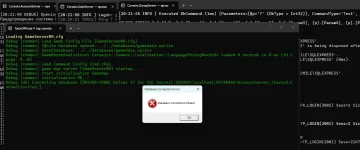
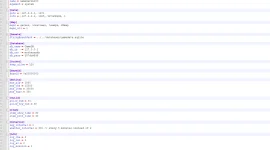
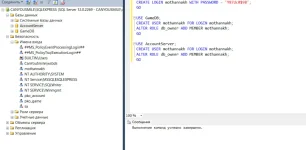



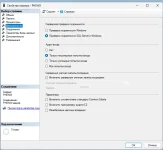




 . Proving more difficult than the moving the server exe and game.exe to x64.