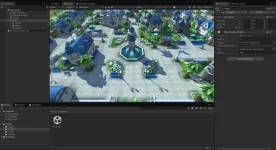
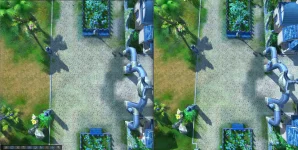
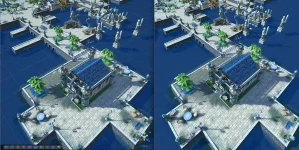
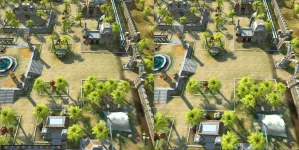
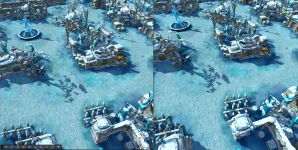
First of all, thanks to both of you for sharing your thoughts, really appreciate it!
Sorry for the late response - it took me a while to make up my mind and compose it into this post.
I tend to agree with
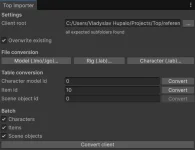
@awezx211 about dropping compatibility and leveraging Unity's capabilities, but let's be a bit more specific about what kind of compatibility. What I'm comfortable breaking is client resources. That said, it shouldn't be hard to make the Unity client support your client's resources - there'll be a dead-simple conversion tool you can point at the root folder of your client, and it does all the magic for you.
The other kind is server compatibility. Even though I'd like to end up rewriting the server side too, I don't want to bloat the scope of the first playable release, so it should stay compatible with the original server.
I see 3 big roadmap steps:
1. Unity client works with the original server
2. Server side rebuilt, Unity client works with both
3. Original client support is dropped, and we can start on whatever new features you can think of
Steps 2-3 are only possible if the Unity client release is successful and people are actually interested in it - which is exactly why I want to keep the first release as small as possible.
Regarding
@Panda 's comment about pointing Unity at existing servers: this one's tricky, because the assets need to be in sync with that server. It's easy with the OpenMW approach, but for us it's a complex problem. A few options:
1. We don't - just focus on one server we agree on as a base reference. The simplest and least attractive option; the client would be more of a prototype we run a public playtest with, and if it succeeds we move forward with the server rebuild and modding.
Worth mentioning: you could still join most original servers, as long as the protocol matches (see the handshake note below). Any content the client is missing (data tables, NPCs, items, etc.) would be shown as placeholders.
2. T1 modding, client-built mod, no server push. The client is pointed at the target server's client, and the compatibility mod is built automatically - either by the game client itself or by running the tooling.
3. T1 modding, server-provided mod, no server push. The server owner opts in by preparing a compatibility mod that players download and install manually. A temporary solution until the server is rebuilt and can push mods to the client.
4. T1 modding with bridging server push. The server owner opts in by preparing a compatibility mod and running a simple sidecar (e.g. AssetsServer) that pushes it to the Unity client - just two endpoints, list mods and download mod, with no interaction with the original servers at all. Unity tries to reach it before connecting, and if it's available, downloads mods automatically. The most appealing and closest to the end vision of the three opt-in options, but the most extra work.
Another thing I ran into while implementing networking: different clients ended up with different server protocols. For example, Mothanna's client (my reference) and the PKO public server use different handshakes with different payloads - mostly because Mothanna added encryption to his client. Beyond that, some message payloads differ too (at least CharBeginSee). This is the same reason option 1 leans toward picking a single reference protocol for v1: a protocol mismatch isn't something placeholders can paper over.
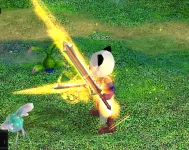
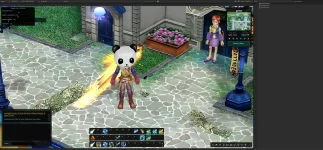
@Panda, glad people liked how it looks! On the nostalgia comment - the beautiful thing about what we're building is that we have full control of it. Want nostalgia mode? Just swap the shader / change graphics options in settings!

We're not changing the models themselves, only re-exporting them, so it should be possible to get that nostalgic look (or very close) with proper work on shaders and graphics.
On bringing in new people or getting old players back: once we rebuild the server, I have an idea to merge GateServer, GroupServer, and GameServer into a single binary that uses multithreading instead of multiple GameServer instances, with an abstracted DB layer (so SQLite could be used). That would let us run it as a subprocess of the game - a Singleplayer mode (which I don't think makes much sense for this game) but, more importantly, a Multiplayer mode where others connect to your locally-running instance. A lot of people don't have time for MMOs, and a chill co-op PVE experience - no competition, no huge time investment - might appeal to them. It'd also need easily configurable balance and a special mazes mode. Crazy long-term idea, though; we need a client up and running first.
Also, when I asked for your thoughts, I didn't just mean the operating model - I meant the end product in general. I'd like to understand what kind of thing I'm building and how it should function (and I really hope you'll jump in and help at some point
). Community feedback is genuinely valuable here, because if people won't use it, there isn't much point building it.
There's a bigger decision to make, so let me give a bit more detail on how Unity loads resources. Two main axes here - build-time bake vs. runtime convert - which map roughly onto two mechanisms:
1. AssetBundles / Addressables (build-time). When you drop a resource into Unity's Assets folder, a ScriptedImporter processes it into Unity types - Prefab, Mesh, AnimationClip, Texture2D, etc. At build time Unity doesn't care where those meshes came from, it just serializes them into a bundle ready to load at runtime. So with this approach we don't care about the source file format, and we can write custom ScriptedImporters - if someone really wants to feed in .lmo/.lgo, that's easy to support (both
@awezx211 and I already have). Downsides: modding requires Unity to compile a mod (so T1 modding gets a bit more involved), and bundles are Unity-version-sensitive - a mod has to be built with the same Unity version as the game (backward compatible within a range, but not forward).
2. StreamingAssets (runtime). A plain data folder the game reads at runtime, whatever files you place there. The game loads each file individually and converts it to Unity data on startup or on scene load - so slower loads, since it's redone every launch. Mitigated by a persistent on-disk cache so only the first startup is slow. Mods can be built the way I described, but it adds complexity to keep performance acceptable.
I think we can support both, but I can't yet say how much effort that is - I need to dig deeper to assess feasibility. Data tables can go either way. And honestly, once I think about it: it should be possible to load .lgo either way, but is it worth it when the tool can just convert it automatically?
Let me break the rest down by topic and weigh the options individually.
3D models (.lmo / .lgo / .lab)
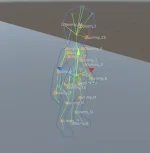
I think an automatic one-way glTF conversion tool is the best option. But before committing, I want to explore the format itself - I'm concerned it may not cover every piece of data in the original formats, and those pieces would have to go into a supplementary .json (as
@awezx211 suggested) or into glTF extras.
One known issue: glTF doesn't support UV animation. Animation channels only target translation/rotation/scale/morph weights - there's no UV channel, and KHR_texture_transform only covers static UV transforms. This affects ~30–40 scene objects, so those will need extras or a sidecar. Needs a plan.
Could either or both of you share a small set of your exported glTFs? An equipment set and a few scene objects would do (by-bd015 in particular). I'd like to see how you worked with the format and play with loading them into my PoC. I'd also like to know whether your tooling emits any extras to keep .glTF -> .lgo round-tripping possible, before I write my own converter. That'd be really helpful.
I'm hesitant about supporting the original formats at runtime. We have all the loading/conversion code already, but I'm not sure it's worth the runtime overhead.
@Panda, I understand your concern about setting up a conversion pipeline for every new asset added to the server - so let's at least make the tooling extremely simple: point it at your client and get a ready-to-use mod, no per-asset work. I'm currently leaning toward baking a base content pack into a Unity bundle, and supporting both runtime and Addressables for modding - but I need a prototype to really understand how it plays out.
I'm on vacation next week, once I'm back I'll build that prototype and come back with a clearer answer.
Textures (.dds / .bmp / .tga)
Simplest and most straightforward decision - migrate to .png (+ optionally .ktx2). I'd drop the existing texture formats entirely because the original assets rely on color-keying - specific colors standing in for transparency - instead of a real alpha channel. Converting to PNG lets us bake proper alpha once and be done with the color-key handling.
Effects and particles (.eff / .par)
.eff files are just animated meshes and planes - potentially convertible to glTF too (need to check whether it covers all the animation types .eff uses), or to Unity prefabs. I don't think the format is worth keeping long-term, new effects content for the Unity port should rely on Unity's VFX systems (e.g. VFX Graph). Existing ones could be reworked, but that's a huge amount of manual labor - not something scripts can automate.
.par is more complex: some particle system types map to Unity's ParticleSystem, but most don't. Not sure yet what to do with those. Same note for new content - just use Unity's ParticleSystem.
I have an idea to migrate the .eff/.par files that don't map cleanly onto their own .json schemas with a dedicated renderer, but I'm not sure it's worth it - keeping them as-is might be simpler. Worst case, we keep them as legacy, I have a working runtime for them, though it's buggy and incomplete.
Data tables (.txt / .bin)
These split into two kinds: client-only, and gameplay tables shared with the server.
I'd like to eliminate as many client-only tables as possible. For example, we can drop sceneobjinfo and sceneffectinfo by breaking them into individual .json files - so instead of one monolithic table, many small .json files. That's a huge win for modding: to add a new scene object, all you provide is a .json config + a .glTF mesh + a .png texture.
For gameplay tables, we can support both the existing CSV-style .txt files and new .json files - not much effort to do both.
Map (.map / .obj / .pk / .blk / .atr)
Three options:
- Convert to a Unity scene. The most Unity-heavy option, but it complicates sharing the map copy with the server and possibly modding. The Unity editor could export .blk and .atr from the scene for the server to consume.
- New map file format - essentially .map + .obj + .blk + .atr combined into one file, with Unity as the editor. A single file per map would be very useful for modding and the server rebuild.
- Keep the original formats, with Unity as the editor.
Either way, a Unity-based map editor that enforces all the ToP/PKO map specifics seems doable, and it'd be a genuinely cool feature - map editing with the current toolchain is a pain point. The one thing I haven't figured out is the vertex-color map tint: preserving it is no problem, but I don't yet know how to make it editable.
As for .pk (minimap), I don't think we need it anymore - it's easy to generate, or we can render the map in real time with an extra orthographic camera.
UI
Haven't decided yet. One thing I'm sure of: I'm not porting the old Lua "layout engine" - too much effort for too little gain.
@Panda, I looked into RmlUI and couldn't find much on using it with Unity. We can try - at least it's HTML + CSS flavored, so we could find an alternative that fits that approach in Unity. Chatting with AI about Unity UI, it recommended rebuilding with Unity's UI Toolkit (MVVM with UXML/USS) for our case - worth a look. I also want to research how Eco does its UI, it seems very flexible and data-driven.
Client baseline
I haven't been in ToP/PKO development or playing on servers lately, so I don't have a full picture of what to use as the content base for the Unity client. This is where I'd really lean on your help. Like
@awezx211 said, we can collect resources from multiple clients - I just don't know which ones. Should we consider 2.0+ clients too? Right now I'm using Mothanna's client as a reference.