It might be due to a memory leak or an issue with the resource manager. The near-stock client often exhibits these symptoms when a large number of models are loaded. I think if you simply mention this to an agent, they’ll be able to help you easily.
But I might be wrong.
We need more opinions.
Client platform: Windows, DirectX 9, Win32/x86
Components: `Game.exe` and `MindPower3D_D8R.dll`
## 1. Problem summary
The client intermittently stops displaying several unrelated classes of visual resources at the same time:
- character body parts after changing Apparel;
- mount models after equipping a mount;
- NPC models, while their names and sometimes their circular ground marks remain visible;
- buildings and other scene objects;
- individual effects and textures;
- background objects and characters on the character selection/creation screens.
Relogging, or performing another action that rebuilds a character or scene, can suddenly restore previously missing models. A subsequent Apparel or mount change can then make a different set of objects disappear.
This does not behave like one missing `.tga`, `.dds`, or `.lgo` file. A single action changes the visibility of already loaded and otherwise unrelated objects.
## 2. Reproduction sequence
The following sequence has been observed:
1. Enter the game near NPCs and buildings.
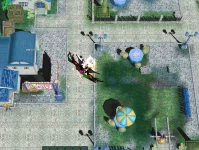
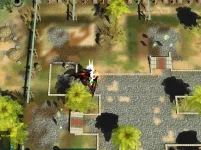
2. Some NPCs or buildings are absent, although their labels and certain auxiliary elements remain visible.
3. Equip an Apparel item; the corresponding body part disappears.
4. After relogging, the body part reappears.
5. Equip a mount; the character enters the mounted pose, but the mount model is missing.
6. Change Apparel or mount again; previously missing NPCs or Apparel may appear while another object disappears.
7. Rotating the camera can also change which parts are rendered incorrectly.
8. The character creation screen can become completely blue, with only the Exit button visible.
## 3. Control build
A clean DX9 build of the same project is available and does not exhibit this global failure. It only had a separate, older issue involving the Ami preview on the character creation screen.
Therefore, the current global malfunction appeared after project changes or a source/binary/resource synchronization failure. It is not mandatory behavior of the original client.
## 4. Investigations and exclusions
### 4.1. Bone palette limit: 50 versus 76
Both 50-bone and 76-bone configurations were tested. Returning the limit to 50 did not restore NPCs, buildings, Apparel, mounts, or the character creation screen.
Conclusion: an incorrect bone limit can break an individual model whose skeleton exceeds that limit, but it does not explain the global, order-dependent visibility changes across every object class.
### 4.2. Newly added creature/framework IDs
The following mappings were isolated:
- Character ID 1074 → framework 910;
- Character ID 1075 → framework 911;
- Character ID 1076 → framework 912;
- Character ID 1099 → framework 1884.
The global defect did not change after isolating these entries.
Conclusion: these records may contain their own resource problems, but they are not the global cause.
### 4.3. Missing LGO texture references
Examples found during the audit:
- `0910000000.lgo` references missing `heilong.tga`;
- `0911000000.lgo` references missing `long2-kui.tga` and `long2-kui2.tga`;
- `0912000000.lgo` references missing `zjsm_myt08.tga`;
- `1884000000.lgo` references `1884.dds`, which exists.
A total of 49 added LGO files were found with missing texture references.
These problems explain missing materials or models associated with those specific resources. They do not explain:
- disappearance of stock buildings;
- visibility changes after changing equipment;
- recovery after relogging;
- a completely blue character creation screen.
### 4.4. x86 server architecture
The problem is reproducible in client-side scenes and on the character creation screen. LGO rendering, texture stages, vertex/index buffers, and Direct3D device states are managed by the client.
Conclusion: the server process architecture is not the cause of this visual defect. Porting the server to x64 would not repair the client renderer.
## 5. C++ resource manager audit
The old engine contained genuine defects that could degrade stability when many models are loaded:
1. Forward-only search for a free VB/IB handle without scanning the complete ring.
2. Incomplete static-stream reset/rebuild when space was exhausted.
3. No preflight check of the total required size before mutating stream state.
4. Bind, `SetStreamSource`, and `SetIndices` failures were ignored on some render paths.
5. Rendering could continue with stale GPU bindings.
6. Partially created mesh and texture objects could leak after loading failures.
7. An unknown stream type did not always terminate loading with an error.
## 6. Implemented C++ hardening fixes
Only engine resource/render lifecycle paths were modified:
- `lwStreamObj.cpp`
- `lwResourceMgr.cpp`
- `lwPrimitive.cpp`
### 6.1. Cyclic handle allocator
The allocator now performs a complete ring scan of every entity slot instead of searching only from the current index to the end of the array. An occupied or previously used ID cannot be returned again.
### 6.2. Safe stream rebuild
Before resetting a stream, the implementation calculates the complete required size:
```cpp
required_size = new_request_size;
for(each live entity in selected_stream)
required_size += entity.size;
if(required_size > stream.total_size)
return failure;
```
Reservations and the transition of entities back to the pending-bind state are performed only after successful preflight validation.
### 6.3. VB/IB binding validation
Validation was added for:
- entity state;
- stream ID;
- size, stride, and data pointer;
- the result of `BindData`;
- the result of `SetStreamSource`;
- the result of `SetIndices`.
On failure, the function now returns an error instead of continuing to draw with an old GPU buffer.
### 6.4. Transactional primitive rendering
The return values of `BeginSet`, `BeginSetSubset`, `DrawSubset`, `EndSetSubset`, and `EndSet` are now checked. On every early exit, only render scopes that were actually opened are closed.
This prevents a partially configured mesh/material state from being inherited by the next object.
### 6.5. Loading-failure cleanup
Cleanup was added for:
- partially created generic vertex and index buffers;
- registered static/lockable VB and IB handles;
- texture objects after a failed `LoadTextureStage`;
- mesh objects after a failed `LoadMesh`;
- objects whose registration in the resource manager failed.
### 6.6. Diagnostic logging
`stream_diag` logging was added for:
- entity-pool exhaustion;
- insufficient stream space;
- rejected stream rebuilds;
- allocator invariant failures;
- `BindData` failures;
- invalid entity or stream state;
- `SetStreamSource` and `SetIndices` failures.
## 7. Build and ABI validation
The new `MindPower3D_D8R.dll` was built as Release|Win32.
Current `Game.exe`:
```text
SHA-256 F0D356DE6AB7DEC1DE92A880414035AD8DF39A834141DA336D636D2599A425D8
```
Test DLL:
```text
SHA-256 9AA830C5558AE5F1837CC94D6B8183DD4C420D4F7B594E4FAAFEC1F521404C3D
```
ABI validation:
```text
LIVE DLL export count: 1662
NEW DLL export count: 1662
name/ordinal diff: 0
startup: PASS
entry-point errors: NONE
```
## 8. Runtime results
Positive results:
- the client starts successfully;
- there are no entry-point errors;
- the overall color output is visually more pleasant;
- blue tones became deeper and darker, and overall contrast improved.
Negative results:
- login-scene background parts are still intermittently absent;
- character creation can still display only a blue screen;
- missing NPCs, buildings, and models were not permanently restored;
- the global visibility defect remains unresolved.
Additional observation after changing Apparel and relogging without replacing any login-scene resources:
- previously absent login-scene geometry suddenly appeared;
- large background scene objects that had been absent in the previous attempt were loaded;
- at the same time, one character preview was rendered only partially, with missing clothing/geometry and unrelated black elements around it.
This is strong evidence against physically missing login-scene files as the primary explanation. The same resource set can either disappear completely or reappear after the loading/render order changes. This behavior is consistent with persistent process state, cache corruption, memory corruption, or render-state contamination.
The key diagnostic result is:
```text
Client\log\stream_diag.log
size after reproduction: 0 bytes
```
None of the newly instrumented static-stream overflow, binding, or invariant checks fired during reproduction. The resource-manager fixes are useful hardening, but the observed runtime defect is located on another path.
## 9. Primary new technical suspect
The engine contains a state-caching wrapper:
```cpp
lwDeviceObject::_rs_value[]
lwDeviceObject::_tss_value[][]
lwDeviceObject::_ss_value[][]
lwDeviceObject::_tex_seq[]
```
A normal setter does not call Direct3D when its cache already contains the requested value:
```cpp
if(cached_value != requested_value) {
cached_value = requested_value;
device->SetRenderState(...);
}
```
At the same time, some render paths change or restore the real device state through raw `IDirect3DDevice9` or `IDirect3DStateBlock9` calls.
If raw device state is changed without synchronizing `_rs_value`, `_tss_value`, `_ss_value`, and `_tex_seq`, the following sequence becomes possible:
1. The GPU is actually in state B.
2. The wrapper cache still reports state A.
3. The next object requests state A.
4. The wrapper finds A in its cache and skips the Direct3D call.
5. The object is rendered with another object's texture, blend, Z, alpha, or cull state, or becomes visually absent.
This mechanism matches the observed symptoms:
- the failure depends on render order;
- changing Apparel or mount rebuilds the order and changes which objects are visible;
- relogging temporarily rebuilds device/scene state;
- rotating the camera changes the render list and manifestation;
- unrelated object classes are affected;
- color output can change;
- static-stream diagnostics remain empty;
- login-scene geometry can disappear and later reappear without replacing its files;
- one character preview can simultaneously receive incorrect geometry or material state.
## 10. Source/binary lineage mismatch
The current Engine sources are not completely identical to the preserved source tree corresponding to the previously installed DLL.
Comparison of 219 C/C++ project files:
```text
source files checked: 219
different files: 9
```
Differences include the following renderer/resource modules:
```text
lwPhysique.cpp
lwPrimitive.cpp
lwRenderImp.cpp
lwResourceMgr.cpp
lwStreamObj.cpp
MPModelEff.cpp
MPParticleCtrl.cpp
MPParticleSys.cpp
MPCharacter.h
```
Consequently, rebuilding the DLL includes more than the latest resource-manager corrections. The observed change in contrast confirms that the rebuilt renderer does not behave identically to the previous binary lineage.
## 11. Current conclusion
### Proven findings
- The global failure is not caused by the bone limit.
- It is not caused by the four isolated creature IDs.
- It is not explained by one missing texture or LGO file.
- It is not caused by the server architecture.
- No reproducible static-stream overflow or binding failure was logged.
- The resource manager contained real defects, but fixing them did not eliminate the principal runtime symptom.
### Most likely direction
The global defect is located in the Direct3D state lifecycle or in a desynchronization between the `lwDeviceObject` cache and the real `IDirect3DDevice9` state, potentially combined with a mismatch between the current sources and the installed binary lineage.
## 12. Recommended next diagnostic test
Do not change resources and do not port the server to x64 for this investigation. Build a separate diagnostic DLL that performs the following:
1. Synchronize or invalidate `_rs_value`, `_tss_value`, `_ss_value`, and `_tex_seq` after every non-standard render pass.
2. At scene, character, and effect pass boundaries, compare cached values against real values obtained through:
- `GetRenderState`;
- `GetTextureStageState`;
- `GetSamplerState`;
- `GetTexture`.
3. Log the first mismatch together with the frame number and pass name.
4. For a controlled test, force a minimal canonical state before rendering scene objects and characters.
5. Build from a fixed source snapshot that is known to correspond to the tested `Game.exe`.
This should provide a verifiable answer instead of continuing to replace models, tables, or the bone limit.
## 13. Final status
```text
RESOURCE MANAGER HARDENING: PASS
WIN32 BUILD: PASS
GAME/DLL ABI: PASS
CLIENT STARTUP: PASS
GLOBAL VISUAL BUG FIXED: NO
STREAM FAILURE LOGGED: NO
COLOR/CONTRAST IMPROVED: YES
NEXT TARGET: D3D DEVICE STATE CACHE SYNCHRONIZATION
```


![[TwT]~Darkness](/data/avatars/m/0/213.jpg?1774049328)


 Hello, friends.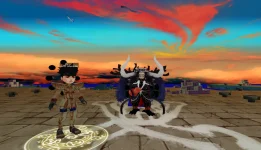





 ynamicLoading()<br>→ TerrainNotice()<br>→ CGameScene::AddSceneObj()<br>→ CSceneObj::_Create()<br>→ LoadResModelBuf<br>→ model/primitive/mesh<br>→ LoadVideoMemory()<br>→ SetValid(TRUE)<br>→ Render()</span>