PROBLEV WITH TEXTURE URGENT

[TwT]~Darkness

Active Pirate
Registered
LV
0
 
Joined
Mar 11, 2026
Messages
46
Reaction score
9
Points
28
1786912228184.webp1786912248379.webp1786912267597.webp1786912337761.webpHello, friends.


I’ve already spent two weeks sitting at my computer for about 10 hours a day, and I still can’t figure out what is causing this problem.


I started working on dungeon development and adding new creatures to the maps.


When I transferred creatures from a donor client into the Monthana client, I ran into the following issue: the monsters were not rendered completely, and some animations/models were loaded incorrectly together with the textures. Basically, they looked completely unplayable.


Eventually, I found the cause. The maximum bone limit was set to 50, while some of these creatures were using more than 50 bones. I increased the limit to 78 and rebuilt the client in C++. After that, the monsters appeared correctly. Everything worked fine — LAB, LGO, textures, models, everything.


Then I converted some of these creatures into mounts.


And that’s when everything started falling apart.


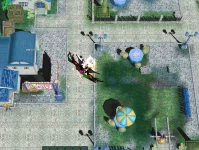
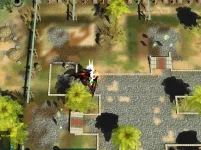
Mounts stopped rendering. NPCs started disappearing. Building textures/models started disappearing. Newly added monsters summoned in-game also became invisible.


BUT there is one very important detail:


If I relog the character and enter the game again, the invisible mount that my character is currently riding suddenly appears. Monsters that were summoned before the relog and were invisible also suddenly appear after the relog and continue functioning normally on the map.


I’m honestly exhausted at this point and cannot understand what is causing this.


I have already removed all newly added mounts and moved their files into quarantine. I reverted the bone limit back from 78 to 50. I also tried fixing possible runtime-related problems and basically everything I could find that could affect client-side rendering/loading.


Absolutely nothing helps.


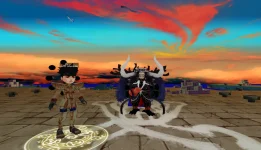
The character creation screen actually started breaking even before the bone-limit fix. First, Ami disappeared. Later, ALL characters disappeared from the character creation screen.


After that, even the existing character selection screen started bugging out — all visual models/textures disappeared there as well.


If anyone has encountered something similar, I would really appreciate any advice.


I don’t necessarily need an exact solution. Even if someone could point me toward the possible cause — what subsystem I should investigate, where I should look, what I should check — that would already help a lot.


1786912212517.webp
 
It might be due to a memory leak or an issue with the resource manager. The near-stock client often exhibits these symptoms when a large number of models are loaded. I think if you simply mention this to an agent, they’ll be able to help you easily.
But I might be wrong.
We need more opinions.
 
It might be due to a memory leak or an issue with the resource manager. The near-stock client often exhibits these symptoms when a large number of models are loaded. I think if you simply mention this to an agent, they’ll be able to help you easily.
But I might be wrong.
We need more opinions.
Client platform: Windows, DirectX 9, Win32/x86
Components: `Game.exe` and `MindPower3D_D8R.dll`

## 1. Problem summary

The client intermittently stops displaying several unrelated classes of visual resources at the same time:

- character body parts after changing Apparel;
- mount models after equipping a mount;
- NPC models, while their names and sometimes their circular ground marks remain visible;
- buildings and other scene objects;
- individual effects and textures;
- background objects and characters on the character selection/creation screens.

Relogging, or performing another action that rebuilds a character or scene, can suddenly restore previously missing models. A subsequent Apparel or mount change can then make a different set of objects disappear.

This does not behave like one missing `.tga`, `.dds`, or `.lgo` file. A single action changes the visibility of already loaded and otherwise unrelated objects.

## 2. Reproduction sequence

The following sequence has been observed:

1. Enter the game near NPCs and buildings.
2. Some NPCs or buildings are absent, although their labels and certain auxiliary elements remain visible.
3. Equip an Apparel item; the corresponding body part disappears.
4. After relogging, the body part reappears.
5. Equip a mount; the character enters the mounted pose, but the mount model is missing.
6. Change Apparel or mount again; previously missing NPCs or Apparel may appear while another object disappears.
7. Rotating the camera can also change which parts are rendered incorrectly.
8. The character creation screen can become completely blue, with only the Exit button visible.

## 3. Control build

A clean DX9 build of the same project is available and does not exhibit this global failure. It only had a separate, older issue involving the Ami preview on the character creation screen.

Therefore, the current global malfunction appeared after project changes or a source/binary/resource synchronization failure. It is not mandatory behavior of the original client.

## 4. Investigations and exclusions

### 4.1. Bone palette limit: 50 versus 76

Both 50-bone and 76-bone configurations were tested. Returning the limit to 50 did not restore NPCs, buildings, Apparel, mounts, or the character creation screen.

Conclusion: an incorrect bone limit can break an individual model whose skeleton exceeds that limit, but it does not explain the global, order-dependent visibility changes across every object class.

### 4.2. Newly added creature/framework IDs

The following mappings were isolated:

- Character ID 1074 → framework 910;
- Character ID 1075 → framework 911;
- Character ID 1076 → framework 912;
- Character ID 1099 → framework 1884.

The global defect did not change after isolating these entries.

Conclusion: these records may contain their own resource problems, but they are not the global cause.

### 4.3. Missing LGO texture references

Examples found during the audit:

- `0910000000.lgo` references missing `heilong.tga`;
- `0911000000.lgo` references missing `long2-kui.tga` and `long2-kui2.tga`;
- `0912000000.lgo` references missing `zjsm_myt08.tga`;
- `1884000000.lgo` references `1884.dds`, which exists.

A total of 49 added LGO files were found with missing texture references.

These problems explain missing materials or models associated with those specific resources. They do not explain:

- disappearance of stock buildings;
- visibility changes after changing equipment;
- recovery after relogging;
- a completely blue character creation screen.

### 4.4. x86 server architecture

The problem is reproducible in client-side scenes and on the character creation screen. LGO rendering, texture stages, vertex/index buffers, and Direct3D device states are managed by the client.

Conclusion: the server process architecture is not the cause of this visual defect. Porting the server to x64 would not repair the client renderer.

## 5. C++ resource manager audit

The old engine contained genuine defects that could degrade stability when many models are loaded:

1. Forward-only search for a free VB/IB handle without scanning the complete ring.
2. Incomplete static-stream reset/rebuild when space was exhausted.
3. No preflight check of the total required size before mutating stream state.
4. Bind, `SetStreamSource`, and `SetIndices` failures were ignored on some render paths.
5. Rendering could continue with stale GPU bindings.
6. Partially created mesh and texture objects could leak after loading failures.
7. An unknown stream type did not always terminate loading with an error.

## 6. Implemented C++ hardening fixes

Only engine resource/render lifecycle paths were modified:

- `lwStreamObj.cpp`
- `lwResourceMgr.cpp`
- `lwPrimitive.cpp`

### 6.1. Cyclic handle allocator

The allocator now performs a complete ring scan of every entity slot instead of searching only from the current index to the end of the array. An occupied or previously used ID cannot be returned again.

### 6.2. Safe stream rebuild

Before resetting a stream, the implementation calculates the complete required size:

```cpp
required_size = new_request_size;
for(each live entity in selected_stream)
required_size += entity.size;

if(required_size > stream.total_size)
return failure;
```

Reservations and the transition of entities back to the pending-bind state are performed only after successful preflight validation.

### 6.3. VB/IB binding validation

Validation was added for:

- entity state;
- stream ID;
- size, stride, and data pointer;
- the result of `BindData`;
- the result of `SetStreamSource`;
- the result of `SetIndices`.

On failure, the function now returns an error instead of continuing to draw with an old GPU buffer.

### 6.4. Transactional primitive rendering

The return values of `BeginSet`, `BeginSetSubset`, `DrawSubset`, `EndSetSubset`, and `EndSet` are now checked. On every early exit, only render scopes that were actually opened are closed.

This prevents a partially configured mesh/material state from being inherited by the next object.

### 6.5. Loading-failure cleanup

Cleanup was added for:

- partially created generic vertex and index buffers;
- registered static/lockable VB and IB handles;
- texture objects after a failed `LoadTextureStage`;
- mesh objects after a failed `LoadMesh`;
- objects whose registration in the resource manager failed.

### 6.6. Diagnostic logging

`stream_diag` logging was added for:

- entity-pool exhaustion;
- insufficient stream space;
- rejected stream rebuilds;
- allocator invariant failures;
- `BindData` failures;
- invalid entity or stream state;
- `SetStreamSource` and `SetIndices` failures.

## 7. Build and ABI validation

The new `MindPower3D_D8R.dll` was built as Release|Win32.

Current `Game.exe`:

```text
SHA-256 F0D356DE6AB7DEC1DE92A880414035AD8DF39A834141DA336D636D2599A425D8
```

Test DLL:

```text
SHA-256 9AA830C5558AE5F1837CC94D6B8183DD4C420D4F7B594E4FAAFEC1F521404C3D
```

ABI validation:

```text
LIVE DLL export count: 1662
NEW DLL export count: 1662
name/ordinal diff: 0
startup: PASS
entry-point errors: NONE
```

## 8. Runtime results

Positive results:

- the client starts successfully;
- there are no entry-point errors;
- the overall color output is visually more pleasant;
- blue tones became deeper and darker, and overall contrast improved.

Negative results:

- login-scene background parts are still intermittently absent;
- character creation can still display only a blue screen;
- missing NPCs, buildings, and models were not permanently restored;
- the global visibility defect remains unresolved.

Additional observation after changing Apparel and relogging without replacing any login-scene resources:

- previously absent login-scene geometry suddenly appeared;
- large background scene objects that had been absent in the previous attempt were loaded;
- at the same time, one character preview was rendered only partially, with missing clothing/geometry and unrelated black elements around it.

This is strong evidence against physically missing login-scene files as the primary explanation. The same resource set can either disappear completely or reappear after the loading/render order changes. This behavior is consistent with persistent process state, cache corruption, memory corruption, or render-state contamination.

The key diagnostic result is:

```text
Client\log\stream_diag.log
size after reproduction: 0 bytes
```

None of the newly instrumented static-stream overflow, binding, or invariant checks fired during reproduction. The resource-manager fixes are useful hardening, but the observed runtime defect is located on another path.

## 9. Primary new technical suspect

The engine contains a state-caching wrapper:

```cpp
lwDeviceObject::_rs_value[]
lwDeviceObject::_tss_value[][]
lwDeviceObject::_ss_value[][]
lwDeviceObject::_tex_seq[]
```

A normal setter does not call Direct3D when its cache already contains the requested value:

```cpp
if(cached_value != requested_value) {
cached_value = requested_value;
device->SetRenderState(...);
}
```

At the same time, some render paths change or restore the real device state through raw `IDirect3DDevice9` or `IDirect3DStateBlock9` calls.

If raw device state is changed without synchronizing `_rs_value`, `_tss_value`, `_ss_value`, and `_tex_seq`, the following sequence becomes possible:

1. The GPU is actually in state B.
2. The wrapper cache still reports state A.
3. The next object requests state A.
4. The wrapper finds A in its cache and skips the Direct3D call.
5. The object is rendered with another object's texture, blend, Z, alpha, or cull state, or becomes visually absent.

This mechanism matches the observed symptoms:

- the failure depends on render order;
- changing Apparel or mount rebuilds the order and changes which objects are visible;
- relogging temporarily rebuilds device/scene state;
- rotating the camera changes the render list and manifestation;
- unrelated object classes are affected;
- color output can change;
- static-stream diagnostics remain empty;
- login-scene geometry can disappear and later reappear without replacing its files;
- one character preview can simultaneously receive incorrect geometry or material state.

## 10. Source/binary lineage mismatch

The current Engine sources are not completely identical to the preserved source tree corresponding to the previously installed DLL.

Comparison of 219 C/C++ project files:

```text
source files checked: 219
different files: 9
```

Differences include the following renderer/resource modules:

```text
lwPhysique.cpp
lwPrimitive.cpp
lwRenderImp.cpp
lwResourceMgr.cpp
lwStreamObj.cpp
MPModelEff.cpp
MPParticleCtrl.cpp
MPParticleSys.cpp
MPCharacter.h
```

Consequently, rebuilding the DLL includes more than the latest resource-manager corrections. The observed change in contrast confirms that the rebuilt renderer does not behave identically to the previous binary lineage.

## 11. Current conclusion

### Proven findings

- The global failure is not caused by the bone limit.
- It is not caused by the four isolated creature IDs.
- It is not explained by one missing texture or LGO file.
- It is not caused by the server architecture.
- No reproducible static-stream overflow or binding failure was logged.
- The resource manager contained real defects, but fixing them did not eliminate the principal runtime symptom.

### Most likely direction

The global defect is located in the Direct3D state lifecycle or in a desynchronization between the `lwDeviceObject` cache and the real `IDirect3DDevice9` state, potentially combined with a mismatch between the current sources and the installed binary lineage.

## 12. Recommended next diagnostic test

Do not change resources and do not port the server to x64 for this investigation. Build a separate diagnostic DLL that performs the following:

1. Synchronize or invalidate `_rs_value`, `_tss_value`, `_ss_value`, and `_tex_seq` after every non-standard render pass.
2. At scene, character, and effect pass boundaries, compare cached values against real values obtained through:
- `GetRenderState`;
- `GetTextureStageState`;
- `GetSamplerState`;
- `GetTexture`.
3. Log the first mismatch together with the frame number and pass name.
4. For a controlled test, force a minimal canonical state before rendering scene objects and characters.
5. Build from a fixed source snapshot that is known to correspond to the tested `Game.exe`.

This should provide a verifiable answer instead of continuing to replace models, tables, or the bone limit.

## 13. Final status

```text
RESOURCE MANAGER HARDENING: PASS
WIN32 BUILD: PASS
GAME/DLL ABI: PASS
CLIENT STARTUP: PASS
GLOBAL VISUAL BUG FIXED: NO
STREAM FAILURE LOGGED: NO
COLOR/CONTRAST IMPROVED: YES
NEXT TARGET: D3D DEVICE STATE CACHE SYNCHRONIZATION
```

 
Client platform: Windows, DirectX 9, Win32/x86
Components: `Game.exe` and `MindPower3D_D8R.dll`

## 1. Problem summary

The client intermittently stops displaying several unrelated classes of visual resources at the same time:

- character body parts after changing Apparel;
- mount models after equipping a mount;
- NPC models, while their names and sometimes their circular ground marks remain visible;
- buildings and other scene objects;
- individual effects and textures;
- background objects and characters on the character selection/creation screens.

Relogging, or performing another action that rebuilds a character or scene, can suddenly restore previously missing models. A subsequent Apparel or mount change can then make a different set of objects disappear.

This does not behave like one missing `.tga`, `.dds`, or `.lgo` file. A single action changes the visibility of already loaded and otherwise unrelated objects.

## 2. Reproduction sequence

The following sequence has been observed:

1. Enter the game near NPCs and buildings.
2. Some NPCs or buildings are absent, although their labels and certain auxiliary elements remain visible.
3. Equip an Apparel item; the corresponding body part disappears.
4. After relogging, the body part reappears.
5. Equip a mount; the character enters the mounted pose, but the mount model is missing.
6. Change Apparel or mount again; previously missing NPCs or Apparel may appear while another object disappears.
7. Rotating the camera can also change which parts are rendered incorrectly.
8. The character creation screen can become completely blue, with only the Exit button visible.

## 3. Control build

A clean DX9 build of the same project is available and does not exhibit this global failure. It only had a separate, older issue involving the Ami preview on the character creation screen.

Therefore, the current global malfunction appeared after project changes or a source/binary/resource synchronization failure. It is not mandatory behavior of the original client.

## 4. Investigations and exclusions

### 4.1. Bone palette limit: 50 versus 76

Both 50-bone and 76-bone configurations were tested. Returning the limit to 50 did not restore NPCs, buildings, Apparel, mounts, or the character creation screen.

Conclusion: an incorrect bone limit can break an individual model whose skeleton exceeds that limit, but it does not explain the global, order-dependent visibility changes across every object class.

### 4.2. Newly added creature/framework IDs

The following mappings were isolated:

- Character ID 1074 → framework 910;
- Character ID 1075 → framework 911;
- Character ID 1076 → framework 912;
- Character ID 1099 → framework 1884.

The global defect did not change after isolating these entries.

Conclusion: these records may contain their own resource problems, but they are not the global cause.

### 4.3. Missing LGO texture references

Examples found during the audit:

- `0910000000.lgo` references missing `heilong.tga`;
- `0911000000.lgo` references missing `long2-kui.tga` and `long2-kui2.tga`;
- `0912000000.lgo` references missing `zjsm_myt08.tga`;
- `1884000000.lgo` references `1884.dds`, which exists.

A total of 49 added LGO files were found with missing texture references.

These problems explain missing materials or models associated with those specific resources. They do not explain:

- disappearance of stock buildings;
- visibility changes after changing equipment;
- recovery after relogging;
- a completely blue character creation screen.

### 4.4. x86 server architecture

The problem is reproducible in client-side scenes and on the character creation screen. LGO rendering, texture stages, vertex/index buffers, and Direct3D device states are managed by the client.

Conclusion: the server process architecture is not the cause of this visual defect. Porting the server to x64 would not repair the client renderer.

## 5. C++ resource manager audit

The old engine contained genuine defects that could degrade stability when many models are loaded:

1. Forward-only search for a free VB/IB handle without scanning the complete ring.
2. Incomplete static-stream reset/rebuild when space was exhausted.
3. No preflight check of the total required size before mutating stream state.
4. Bind, `SetStreamSource`, and `SetIndices` failures were ignored on some render paths.
5. Rendering could continue with stale GPU bindings.
6. Partially created mesh and texture objects could leak after loading failures.
7. An unknown stream type did not always terminate loading with an error.

## 6. Implemented C++ hardening fixes

Only engine resource/render lifecycle paths were modified:

- `lwStreamObj.cpp`
- `lwResourceMgr.cpp`
- `lwPrimitive.cpp`

### 6.1. Cyclic handle allocator

The allocator now performs a complete ring scan of every entity slot instead of searching only from the current index to the end of the array. An occupied or previously used ID cannot be returned again.

### 6.2. Safe stream rebuild

Before resetting a stream, the implementation calculates the complete required size:

```cpp
required_size = new_request_size;
for(each live entity in selected_stream)
required_size += entity.size;

if(required_size > stream.total_size)
return failure;
```

Reservations and the transition of entities back to the pending-bind state are performed only after successful preflight validation.

### 6.3. VB/IB binding validation

Validation was added for:

- entity state;
- stream ID;
- size, stride, and data pointer;
- the result of `BindData`;
- the result of `SetStreamSource`;
- the result of `SetIndices`.

On failure, the function now returns an error instead of continuing to draw with an old GPU buffer.

### 6.4. Transactional primitive rendering

The return values of `BeginSet`, `BeginSetSubset`, `DrawSubset`, `EndSetSubset`, and `EndSet` are now checked. On every early exit, only render scopes that were actually opened are closed.

This prevents a partially configured mesh/material state from being inherited by the next object.

### 6.5. Loading-failure cleanup

Cleanup was added for:

- partially created generic vertex and index buffers;
- registered static/lockable VB and IB handles;
- texture objects after a failed `LoadTextureStage`;
- mesh objects after a failed `LoadMesh`;
- objects whose registration in the resource manager failed.

### 6.6. Diagnostic logging

`stream_diag` logging was added for:

- entity-pool exhaustion;
- insufficient stream space;
- rejected stream rebuilds;
- allocator invariant failures;
- `BindData` failures;
- invalid entity or stream state;
- `SetStreamSource` and `SetIndices` failures.

## 7. Build and ABI validation

The new `MindPower3D_D8R.dll` was built as Release|Win32.

Current `Game.exe`:

```text
SHA-256 F0D356DE6AB7DEC1DE92A880414035AD8DF39A834141DA336D636D2599A425D8
```

Test DLL:

```text
SHA-256 9AA830C5558AE5F1837CC94D6B8183DD4C420D4F7B594E4FAAFEC1F521404C3D
```

ABI validation:

```text
LIVE DLL export count: 1662
NEW DLL export count: 1662
name/ordinal diff: 0
startup: PASS
entry-point errors: NONE
```

## 8. Runtime results

Positive results:

- the client starts successfully;
- there are no entry-point errors;
- the overall color output is visually more pleasant;
- blue tones became deeper and darker, and overall contrast improved.

Negative results:

- login-scene background parts are still intermittently absent;
- character creation can still display only a blue screen;
- missing NPCs, buildings, and models were not permanently restored;
- the global visibility defect remains unresolved.

Additional observation after changing Apparel and relogging without replacing any login-scene resources:

- previously absent login-scene geometry suddenly appeared;
- large background scene objects that had been absent in the previous attempt were loaded;
- at the same time, one character preview was rendered only partially, with missing clothing/geometry and unrelated black elements around it.

This is strong evidence against physically missing login-scene files as the primary explanation. The same resource set can either disappear completely or reappear after the loading/render order changes. This behavior is consistent with persistent process state, cache corruption, memory corruption, or render-state contamination.

The key diagnostic result is:

```text
Client\log\stream_diag.log
size after reproduction: 0 bytes
```

None of the newly instrumented static-stream overflow, binding, or invariant checks fired during reproduction. The resource-manager fixes are useful hardening, but the observed runtime defect is located on another path.

## 9. Primary new technical suspect

The engine contains a state-caching wrapper:

```cpp
lwDeviceObject::_rs_value[]
lwDeviceObject::_tss_value[][]
lwDeviceObject::_ss_value[][]
lwDeviceObject::_tex_seq[]
```

A normal setter does not call Direct3D when its cache already contains the requested value:

```cpp
if(cached_value != requested_value) {
cached_value = requested_value;
device->SetRenderState(...);
}
```

At the same time, some render paths change or restore the real device state through raw `IDirect3DDevice9` or `IDirect3DStateBlock9` calls.

If raw device state is changed without synchronizing `_rs_value`, `_tss_value`, `_ss_value`, and `_tex_seq`, the following sequence becomes possible:

1. The GPU is actually in state B.
2. The wrapper cache still reports state A.
3. The next object requests state A.
4. The wrapper finds A in its cache and skips the Direct3D call.
5. The object is rendered with another object's texture, blend, Z, alpha, or cull state, or becomes visually absent.

This mechanism matches the observed symptoms:

- the failure depends on render order;
- changing Apparel or mount rebuilds the order and changes which objects are visible;
- relogging temporarily rebuilds device/scene state;
- rotating the camera changes the render list and manifestation;
- unrelated object classes are affected;
- color output can change;
- static-stream diagnostics remain empty;
- login-scene geometry can disappear and later reappear without replacing its files;
- one character preview can simultaneously receive incorrect geometry or material state.

## 10. Source/binary lineage mismatch

The current Engine sources are not completely identical to the preserved source tree corresponding to the previously installed DLL.

Comparison of 219 C/C++ project files:

```text
source files checked: 219
different files: 9
```

Differences include the following renderer/resource modules:

```text
lwPhysique.cpp
lwPrimitive.cpp
lwRenderImp.cpp
lwResourceMgr.cpp
lwStreamObj.cpp
MPModelEff.cpp
MPParticleCtrl.cpp
MPParticleSys.cpp
MPCharacter.h
```

Consequently, rebuilding the DLL includes more than the latest resource-manager corrections. The observed change in contrast confirms that the rebuilt renderer does not behave identically to the previous binary lineage.

## 11. Current conclusion

### Proven findings

- The global failure is not caused by the bone limit.
- It is not caused by the four isolated creature IDs.
- It is not explained by one missing texture or LGO file.
- It is not caused by the server architecture.
- No reproducible static-stream overflow or binding failure was logged.
- The resource manager contained real defects, but fixing them did not eliminate the principal runtime symptom.

### Most likely direction

The global defect is located in the Direct3D state lifecycle or in a desynchronization between the `lwDeviceObject` cache and the real `IDirect3DDevice9` state, potentially combined with a mismatch between the current sources and the installed binary lineage.

## 12. Recommended next diagnostic test

Do not change resources and do not port the server to x64 for this investigation. Build a separate diagnostic DLL that performs the following:

1. Synchronize or invalidate `_rs_value`, `_tss_value`, `_ss_value`, and `_tex_seq` after every non-standard render pass.
2. At scene, character, and effect pass boundaries, compare cached values against real values obtained through:
- `GetRenderState`;
- `GetTextureStageState`;
- `GetSamplerState`;
- `GetTexture`.
3. Log the first mismatch together with the frame number and pass name.
4. For a controlled test, force a minimal canonical state before rendering scene objects and characters.
5. Build from a fixed source snapshot that is known to correspond to the tested `Game.exe`.

This should provide a verifiable answer instead of continuing to replace models, tables, or the bone limit.

## 13. Final status

```text
RESOURCE MANAGER HARDENING: PASS
WIN32 BUILD: PASS
GAME/DLL ABI: PASS
CLIENT STARTUP: PASS
GLOBAL VISUAL BUG FIXED: NO
STREAM FAILURE LOGGED: NO
COLOR/CONTRAST IMPROVED: YES
NEXT TARGET: D3D DEVICE STATE CACHE SYNCHRONIZATION
```

and after THAT still not work
 
В движке несколько независимых пулов с жёсткими лимитами; при их заполнении или утечке слотов модели перестают создаваться или рендерятся без текстур. Поведение «после перезахода одни модели появляются, другие исчезают» хорошо объясняется накоплением мусора в пулах и недетерминированным порядком загрузки.
Монстры / NPCNetProtocol → AddCharacter → LoadPart → lwPhysique::LoadPrimitive_pool_physique (1024)
Предметы на землеNetProtocol → AddSceneItem → CSceneItem::_Create → lwItem::Load_pool_item (1024)
Объекты сцены (.lmo)LoadResModelBuf → lwResBufMgr::RegisterModelObjInfo_pool_modelobj (10240)
ТекстурыMPTexSet (8192 ID, но в RAM одновременно ≤50)CRawDataSet:: DynamicRelease

При каждой загрузке части тела персонажа вызывается RegisterObject, но старый слот не освобождается, а Destroy() physique не вызывает UnregisterObject.
C++:
_res_mgr->RegisterObject( &_id, this, OBJ_TYPE_CHARACTER );
LW_RESULT lwPhysique::Destroy()
{
    // ... DestroyPrimitive для всех частей ...
    LW_SAFE_RELEASE( _anim_agent );
    return LW_RET_OK;  // UnregisterObject отсутствует
}
Сравнение с предметами — там unregister есть:
C++:
LW_RESULT lwItem::Destroy()
{
    // ...
    _res_mgr->UnregisterObject( NULL, _id, OBJ_TYPE_ITEM );
    _id = LW_INVALID_INDEX;
    return LW_RET_OK;
}
Последствия:

  • Монстр с 5–8 частями тела занимает 5–8 слотов из 1024 за одну загрузку.
  • Каждая смена экипировки (ChangePart) добавляет ещё слоты.
  • При POOL_FULL регистрация молча проваливается — возвращаемое значение нигде не проверяется:
MPTexSet держит в памяти максимум 50 текстур; неиспользуемые > 8 секунд выгружаются каждый кадр:
C++:
CRawDataSet::SetReleaseInterval(8000);

_nMaxRawDataCnt          = 50;

MPTexSet::I()->DynamicRelease();
При большом разнообразии монстров/предметов текстуры вытесняются, пока модель ещё на сцене → невидимая или «белая» модель. В лог tex_release пишутся освобождённые текстуры.

Почему перезаход меняет набор видимых моделей
  1. Перезапуск клиента — lwResourceMgr создаётся заново, пулы пустые (1024 слота).
  2. Порядок загрузки после входа другой → другие модели успевают занять слоты до переполнения.
  3. Внутри сессии (смена карты без перезапуска) слоты накапливаются и не освобождаются → проблема усиливается со временем.
Рекомендуемые исправления (по приоритету)
1. Исправить утечку
C++:
// lwPhysique::LoadPrimitive — регистрировать один раз:
if (_id == LW_INVALID_INDEX)
    _res_mgr->RegisterObject(&_id, this, OBJ_TYPE_CHARACTER);
// lwPhysique::Destroy — в начале:
if (_id != LW_INVALID_INDEX) {
    _res_mgr->UnregisterObject(nullptr, _id, OBJ_TYPE_CHARACTER);
    _id = LW_INVALID_INDEX;
}
2. Настроить MPTexSet
  • Увеличить _nMaxRawDataCnt (например, 200–500).
  • Увеличить _dwReleaseInterval (например, 60 с).
  • Либо не вызывать DynamicRelease() каждый кадр на картах с большим числом уникальных текстур.

3. Увеличить пулы (временная мера)
В lwResourceMgr.h заменить lwObjectPoolVoidPtr1024 на 2048 или 4096 для _pool_physique и _pool_item.

Для подтверждения утечки physique можно временно добавить лог в RegisterObject:
C++:
if (type == OBJ_TYPE_CHARACTER && ret != LW_RET_OK)
    LG("pool", "physique pool full! obj_num=%d", _pool_physique.GetObjNum());
 
  • PinkSquidHeartEyes
Reactions: [TwT]~Darkness
В движке несколько независимых пулов с жёсткими лимитами; при их заполнении или утечке слотов модели перестают создаваться или рендерятся без текстур. Поведение «после перезахода одни модели появляются, другие исчезают» хорошо объясняется накоплением мусора в пулах и недетерминированным порядком загрузки.
Монстры / NPCNetProtocol → AddCharacter → LoadPart → lwPhysique::LoadPrimitive_pool_physique (1024)
Предметы на землеNetProtocol → AddSceneItem → CSceneItem::_Create → lwItem::Load_pool_item (1024)
Объекты сцены (.lmo)LoadResModelBuf → lwResBufMgr::RegisterModelObjInfo_pool_modelobj (10240)
ТекстурыMPTexSet (8192 ID, но в RAM одновременно ≤50)CRawDataSet:: DynamicRelease

При каждой загрузке части тела персонажа вызывается RegisterObject, но старый слот не освобождается, а Destroy() physique не вызывает UnregisterObject.
C++:
_res_mgr->RegisterObject( &_id, this, OBJ_TYPE_CHARACTER );
LW_RESULT lwPhysique::Destroy()
{
    // ... DestroyPrimitive для всех частей ...
    LW_SAFE_RELEASE( _anim_agent );
    return LW_RET_OK;  // UnregisterObject отсутствует
}
Сравнение с предметами — там unregister есть:
C++:
LW_RESULT lwItem::Destroy()
{
    // ...
    _res_mgr->UnregisterObject( NULL, _id, OBJ_TYPE_ITEM );
    _id = LW_INVALID_INDEX;
    return LW_RET_OK;
}
Последствия:

  • Монстр с 5–8 частями тела занимает 5–8 слотов из 1024 за одну загрузку.
  • Каждая смена экипировки (ChangePart) добавляет ещё слоты.
  • При POOL_FULL регистрация молча проваливается — возвращаемое значение нигде не проверяется:
MPTexSet держит в памяти максимум 50 текстур; неиспользуемые > 8 секунд выгружаются каждый кадр:
C++:
CRawDataSet::SetReleaseInterval(8000);

_nMaxRawDataCnt          = 50;

MPTexSet::I()->DynamicRelease();
При большом разнообразии монстров/предметов текстуры вытесняются, пока модель ещё на сцене → невидимая или «белая» модель. В лог tex_release пишутся освобождённые текстуры.

Почему перезаход меняет набор видимых моделей
  1. Перезапуск клиента — lwResourceMgr создаётся заново, пулы пустые (1024 слота).
  2. Порядок загрузки после входа другой → другие модели успевают занять слоты до переполнения.
  3. Внутри сессии (смена карты без перезапуска) слоты накапливаются и не освобождаются → проблема усиливается со временем.
Рекомендуемые исправления (по приоритету)
1. Исправить утечку
C++:
// lwPhysique::LoadPrimitive — регистрировать один раз:
if (_id == LW_INVALID_INDEX)
    _res_mgr->RegisterObject(&_id, this, OBJ_TYPE_CHARACTER);
// lwPhysique::Destroy — в начале:
if (_id != LW_INVALID_INDEX) {
    _res_mgr->UnregisterObject(nullptr, _id, OBJ_TYPE_CHARACTER);
    _id = LW_INVALID_INDEX;
}
2. Настроить MPTexSet
  • Увеличить _nMaxRawDataCnt (например, 200–500).
  • Увеличить _dwReleaseInterval (например, 60 с).
  • Либо не вызывать DynamicRelease() каждый кадр на картах с большим числом уникальных текстур.

3. Увеличить пулы (временная мера)
В lwResourceMgr.h заменить lwObjectPoolVoidPtr1024 на 2048 или 4096 для _pool_physique и _pool_item.

Для подтверждения утечки physique можно временно добавить лог в RegisterObject:
C++:
if (type == OBJ_TYPE_CHARACTER && ret != LW_RET_OK)
    LG("pool", "physique pool full! obj_num=%d", _pool_physique.GetObjNum());
I want to share the results of a long investigation into rendering/resource problems in an expanded Tales of Pirates / Pirate King Online DX9 client based on MindPower3D.

The main symptoms were:

  • NPCs and monsters randomly becoming invisible;
  • mounts sometimes being invisible;
  • newly summoned monsters not rendering;
  • some buildings and scene objects missing;
  • some objects becoming visible only after approaching them;
  • invisible summoned monsters becoming visible after relog;
  • previously invisible mounts becoming visible after relog;
  • increasing instability after adding a large number of new models/resources.
After investigating the MindPower3D resource system, several old hard-coded limits and actual resource-management defects were found.


1. Object Pool Expansion​

Several MindPower object pools were still using limits designed for the original amount of game content.

The following capacities were increased:

<span>Physique:<br>1024 → 4096<br><br>Item:<br>1024 → 4096<br><br>Animation Controller:<br>1024 → 4096<br><br>Model:<br>10240 → 20480<br><br>Mesh:<br>10240 → 20480</span>
The following were left unchanged because they still had sufficient headroom:

<span>ModelObj:<br>10240<br><br>Texture Pool:<br>40960</span>
The purpose of these changes is to give an expanded client significantly more room for characters, items, models, meshes and animation controllers.


2. MPTexSet Capacity​

The client used:

<span>MPTexSet *pTextureSet = new MPTexSet(0, 8192);</span>
The texture ID capacity was increased:

<span>8192 → 32768</span>
The expanded client currently contains approximately:

<span>18,018 texture files</span>
Important note:

The number of texture files on disk does not directly equal the number of simultaneously registered <span>MPTexSet</span> entries.

However, <span>8192</span> is no longer a comfortable capacity for a heavily expanded client, so additional headroom was added.


3. Raw Texture Retention​

The old raw texture retention threshold was:

<span>50</span>
It was increased to:

<span>500</span>
The old release interval was:

<span>8000 ms</span>
It was increased to:

<span>60000 ms</span>
So:

<span>Raw texture threshold:<br>50 → 500<br><br>Release interval:<br>8 seconds → 60 seconds</span>
<span>DynamicRelease()</span> was NOT disabled.

The intention is simply to prevent an expanded client from aggressively releasing resources that may be required again almost immediately.


4. Static VB/IB Capacity​

The old DX9 geometry stream configuration was extremely small for the amount of content now present in the client.

Static VB/IB entity capacity:

<span>4096 → 16384</span>
Static geometry stream capacity:

<span>1 MB → 8 MB</span>
Lockable VB/IB pools:

<span>1024 → 4096</span>
One particularly suspicious limitation was the static Index Buffer:

<span>Static IB = 1 MB</span>
The client currently contains more than:

<span>7,508 LGO files<br>8,157 LGO + LMO files</span>
For a heavily expanded client containing more complex monsters, mounts and scene models, the original 1 MB static IB capacity is extremely conservative.

It was therefore increased to:

<span>Static IB = 8 MB</span>
The entity limit was increased at the same time so that increasing the buffer size would not simply move the bottleneck to the number of allocations.


5.​

A real resource-management defect was found in:

<span>lwResourceMgr.cpp<br>lwMesh::LoadVideoMemory()</span>
The problematic sequence was:

<span>RegisterVertexBuffer = SUCCESS<br>RegisterIndexBuffer = FAILURE</span>
The mesh would not receive:

<span>RES_STATE_VIDEOMEMORY</span>
However, the successfully registered VB could remain allocated.

The next rendering attempt would call <span>LoadVideoMemory()</span> again and could register another VB while the previous allocation was no longer correctly reachable.

The effective sequence was:

<span>VB allocation succeeds<br>↓<br>IB allocation fails<br>↓<br>VIDEOMEMORY remains false<br>↓<br>partial VB allocation remains<br>↓<br>next frame retries<br>↓<br>another VB allocation is attempted<br>↓<br>stream resources can gradually leak</span>
A transactional rollback was implemented.

If the current <span>LoadVideoMemory()</span> attempt fails, only the VB/IB resources created by that specific attempt are released.

Previously existing/shared handles are not touched.

The next normal <span>BeginSet()</span> can then perform a clean retry.


6.​

Another real defect was found in the texture state machine.

Previously:

<span>Texture LoadVideoMemory()<br>↓<br>FAILURE<br>↓<br>load mask remains in an already-attempted state<br>↓<br>next BeginPass() does not properly retry<br>↓<br>_tex may remain NULL<br>↓<br>SKIPTHISDRAW</span>
This could leave a primitive invisible after a temporary texture loading failure.

The failure state was changed so that:

<span>LoadVideoMemory FAILURE<br>↓<br>failure state is preserved<br>↓<br>RT0/attempt state is cleared correctly<br>↓<br>next normal BeginPass() may retry</span>
This does NOT perform a tight retry loop in the same frame.

It simply allows the normal rendering path to try again later.


7.​

The character/physique registration lifecycle was also inspected.

Registration should only occur when the physique does not already have an ID:

<span>if (_id == LW_INVALID_INDEX)<br>{<br> _res_mgr-&gt;RegisterObject(&amp;_id, this, OBJ_TYPE_CHARACTER);<br>}</span>
And destruction should unregister it:

<span>if (_id != LW_INVALID_INDEX)<br>{<br> _res_mgr-&gt;UnregisterObject(NULL, _id, OBJ_TYPE_CHARACTER);<br> _id = LW_INVALID_INDEX;<br>}</span>
Without the corresponding <span>UnregisterObject()</span>, destroyed physiques can leave stale entries in <span>_pool_physique</span>.

One important clarification from our investigation:

A monster with multiple body parts does NOT normally consume one physique slot for every part.

A successfully registered <span>lwPhysique</span> consumes one registration slot because subsequent <span>LoadPrimitive()</span> calls see a valid <span>_id</span>.

So the leak is related to destroyed physique objects not being unregistered, rather than every individual character part consuming another slot.


8. Delayed Buildings / Scene Objects — Separate Streaming Problem​

A separate issue was found which initially looked like another rendering failure.

The symptom was:

<span>Building is missing<br>↓<br>player walks closer<br>↓<br>building suddenly appears</span>
This turned out not to be a failed <span>Render()</span> call.

The world uses section-based dynamic loading:

<span>garner.obj<br>→ MPMap::DynamicLoading()<br>→ TerrainNotice()<br>→ CGameScene::AddSceneObj()<br>→ CSceneObj::_Create()<br>→ LoadResModelBuf<br>→ model/primitive/mesh<br>→ LoadVideoMemory()<br>→ SetValid(TRUE)<br>→ Render()</span>
The original terrain/scene loading area was:

<span>80 × 80 meters</span>
or approximately:

<span>±40 meters around the PLAYER</span>
Each map section is approximately:

<span>8 × 8 meters</span>
Dynamic loading is recalculated when the player crosses into another section.

The important problem is that the streaming area is centered on the player, not the camera/view frustum.

The camera can therefore see terrain outside the currently active ±40 m object-loading region.

This creates the visual effect:

<span>camera can already see the location<br>↓<br>corresponding section has not been activated<br>↓<br>garner.obj objects for that section do not exist in the active scene yet<br>↓<br>player moves closer / crosses section boundary<br>↓<br>section activates<br>↓<br>building is created<br>↓<br>building suddenly appears</span>
The world streaming range was therefore increased:

<span>80 → 160</span>
This gives approximately:

<span>±80 meters</span>
around the player.

The value was selected after checking the actual camera configuration. The maximum visible ground distance was approximately 58–60 meters, so an ~80 meter preload radius provides additional room for section boundaries and large scene objects.

<span>DynamicLoading()</span> itself was not rewritten.


9. Scene Limits​

The <span>garner.obj</span> map contains a very large number of objects — approximately:

<span>50,017 objects</span>
However, these are divided into sections and are not all active simultaneously.

The current scene limits were already scaled to approximately:

<span>Characters: 1800<br>Scene Objects: 2400<br>Scene Items: 2400<br>Effects: 3600</span>
Because the map is streamed section-by-section, these arrays were not increased without runtime evidence showing that they were actually reaching their limits.


10. Model Pre-registration​

Another old limit was found:

<span>const DWORD model_num = 500;</span>
Only the first 500 <span>SceneObjInfo</span> model definitions are pre-registered during startup.

Models outside that initial range are loaded when they are first required.

This can contribute to the first-use loading delay of some models, but it does NOT determine when a building becomes active in the scene.

The primary distance-related trigger was confirmed to be <span>DynamicLoading()</span> and its section activation area.

For that reason, <span>model_num = 500</span> was not changed at this stage.


Summary of Changed Capacities​

<span>Physique pool 1024 → 4096<br>Item pool 1024 → 4096<br>Animation Controller 1024 → 4096<br><br>Model pool 10240 → 20480<br>Mesh pool 10240 → 20480<br><br>MPTexSet 8192 → 32768<br><br>Raw texture threshold 50 → 500<br>Texture release interval 8000 → 60000 ms<br><br>Static VB/IB entities 4096 → 16384<br>Static VB/IB capacity 1 → 8 MB<br>Lockable VB/IB 1024 → 4096<br><br>World streaming range 80 → 160</span>
Additional resource-management fixes:

<span>Partial VB/IB allocation rollback<br>Texture failed-load retry<br>lwPhysique unregister lifecycle</span>

Important Conclusions​

There was not one single cause behind every invisible object.

Several independent limitations/bugs were involved.

Resource capacity​

The original MindPower3D resource limits are very conservative for a heavily expanded modern private-server client.

Increasing the amount of models, monsters, mounts, apparel and textures can expose limitations that were never a problem in the original game.

Partial resource failures​

A failed IB allocation after a successful VB allocation could leave a partial resource behind and make later attempts progressively worse.

This was an actual resource leak and required proper rollback.

Texture failure state​

A temporary texture <span>LoadVideoMemory()</span> failure could leave the resource in a state where normal rendering no longer retried correctly.

Delayed scene objects​

Buildings appearing only when walking closer were not necessarily failed models.

In our case the camera could see farther than the player-centered world streaming area.

Increasing the streaming range fixed the mismatch between camera visibility and section activation.


Client Content Size During Investigation​

For reference, this particular expanded client currently contains approximately:

<span>18,018 texture files<br>7,508+ LGO files<br>8,157 LGO + LMO files</span>
This is far beyond the amount of content the original resource configuration was designed around.

For that reason, I would not recommend blindly copying these exact values into every PKO/ToP client.

Check your actual content and resource usage first.

However, if you are experiencing symptoms such as:

<span>invisible monsters/NPCs<br>invisible mounts<br>missing scene objects<br>models appearing after relog<br>models appearing only after approaching them<br>increasing instability as more custom content is added</span>
then the MindPower3D object pools, VB/IB streams, texture lifecycle and world section streaming are all worth checking.


Character Creation — separate issue still under investigation​

The blue Character Creation screen turned out to use another rendering path.

The four initial characters are primitive nodes inside:

<span>model\scene\login03.lxo</span>
rather than simply four normal world <span>CCharacter/lwPhysique</span> objects.

The relevant path is approximately:

<span>LoginScene_CreateCha<br>→ login03.lxo<br>→ IgnoreNodesRender()<br>→ node primitives<br>→ lwPrimitive<br>→ lwMesh<br>→ Draw</span>
Several defects were found there, including an uninitialized ignore-node structure and missing error handling for the LXO load.

However, this is being treated as a separate issue and should not be confused with the resource-capacity/streaming fixes above.

I will update this section once the exact Character Creation failure path is fully confirmed.
 
I want to share the results of a long investigation into rendering/resource problems in an expanded Tales of Pirates / Pirate King Online DX9 client based on MindPower3D.

The main symptoms were:

  • NPCs and monsters randomly becoming invisible;
  • mounts sometimes being invisible;
  • newly summoned monsters not rendering;
  • some buildings and scene objects missing;
  • some objects becoming visible only after approaching them;
  • invisible summoned monsters becoming visible after relog;
  • previously invisible mounts becoming visible after relog;
  • increasing instability after adding a large number of new models/resources.
After investigating the MindPower3D resource system, several old hard-coded limits and actual resource-management defects were found.


1. Object Pool Expansion​

Several MindPower object pools were still using limits designed for the original amount of game content.

The following capacities were increased:

<span>Physique:<br>1024 → 4096<br><br>Item:<br>1024 → 4096<br><br>Animation Controller:<br>1024 → 4096<br><br>Model:<br>10240 → 20480<br><br>Mesh:<br>10240 → 20480</span>
The following were left unchanged because they still had sufficient headroom:

<span>ModelObj:<br>10240<br><br>Texture Pool:<br>40960</span>
The purpose of these changes is to give an expanded client significantly more room for characters, items, models, meshes and animation controllers.


2. MPTexSet Capacity​

The client used:

<span>MPTexSet *pTextureSet = new MPTexSet(0, 8192);</span>
The texture ID capacity was increased:

<span>8192 → 32768</span>
The expanded client currently contains approximately:

<span>18,018 texture files</span>
Important note:

The number of texture files on disk does not directly equal the number of simultaneously registered <span>MPTexSet</span> entries.

However, <span>8192</span> is no longer a comfortable capacity for a heavily expanded client, so additional headroom was added.


3. Raw Texture Retention​

The old raw texture retention threshold was:

<span>50</span>
It was increased to:

<span>500</span>
The old release interval was:

<span>8000 ms</span>
It was increased to:

<span>60000 ms</span>
So:

<span>Raw texture threshold:<br>50 → 500<br><br>Release interval:<br>8 seconds → 60 seconds</span>
<span>DynamicRelease()</span> was NOT disabled.

The intention is simply to prevent an expanded client from aggressively releasing resources that may be required again almost immediately.


4. Static VB/IB Capacity​

The old DX9 geometry stream configuration was extremely small for the amount of content now present in the client.

Static VB/IB entity capacity:

<span>4096 → 16384</span>
Static geometry stream capacity:

<span>1 MB → 8 MB</span>
Lockable VB/IB pools:

<span>1024 → 4096</span>
One particularly suspicious limitation was the static Index Buffer:

<span>Static IB = 1 MB</span>
The client currently contains more than:

<span>7,508 LGO files<br>8,157 LGO + LMO files</span>
For a heavily expanded client containing more complex monsters, mounts and scene models, the original 1 MB static IB capacity is extremely conservative.

It was therefore increased to:

<span>Static IB = 8 MB</span>
The entity limit was increased at the same time so that increasing the buffer size would not simply move the bottleneck to the number of allocations.


5.​

A real resource-management defect was found in:

<span>lwResourceMgr.cpp<br>lwMesh::LoadVideoMemory()</span>
The problematic sequence was:

<span>RegisterVertexBuffer = SUCCESS<br>RegisterIndexBuffer = FAILURE</span>
The mesh would not receive:

<span>RES_STATE_VIDEOMEMORY</span>
However, the successfully registered VB could remain allocated.

The next rendering attempt would call <span>LoadVideoMemory()</span> again and could register another VB while the previous allocation was no longer correctly reachable.

The effective sequence was:

<span>VB allocation succeeds<br>↓<br>IB allocation fails<br>↓<br>VIDEOMEMORY remains false<br>↓<br>partial VB allocation remains<br>↓<br>next frame retries<br>↓<br>another VB allocation is attempted<br>↓<br>stream resources can gradually leak</span>
A transactional rollback was implemented.

If the current <span>LoadVideoMemory()</span> attempt fails, only the VB/IB resources created by that specific attempt are released.

Previously existing/shared handles are not touched.

The next normal <span>BeginSet()</span> can then perform a clean retry.


6.​

Another real defect was found in the texture state machine.

Previously:

<span>Texture LoadVideoMemory()<br>↓<br>FAILURE<br>↓<br>load mask remains in an already-attempted state<br>↓<br>next BeginPass() does not properly retry<br>↓<br>_tex may remain NULL<br>↓<br>SKIPTHISDRAW</span>
This could leave a primitive invisible after a temporary texture loading failure.

The failure state was changed so that:

<span>LoadVideoMemory FAILURE<br>↓<br>failure state is preserved<br>↓<br>RT0/attempt state is cleared correctly<br>↓<br>next normal BeginPass() may retry</span>
This does NOT perform a tight retry loop in the same frame.

It simply allows the normal rendering path to try again later.


7.​

The character/physique registration lifecycle was also inspected.

Registration should only occur when the physique does not already have an ID:

<span>if (_id == LW_INVALID_INDEX)<br>{<br> _res_mgr-&gt;RegisterObject(&amp;_id, this, OBJ_TYPE_CHARACTER);<br>}</span>
And destruction should unregister it:

<span>if (_id != LW_INVALID_INDEX)<br>{<br> _res_mgr-&gt;UnregisterObject(NULL, _id, OBJ_TYPE_CHARACTER);<br> _id = LW_INVALID_INDEX;<br>}</span>
Without the corresponding <span>UnregisterObject()</span>, destroyed physiques can leave stale entries in <span>_pool_physique</span>.

One important clarification from our investigation:

A monster with multiple body parts does NOT normally consume one physique slot for every part.

A successfully registered <span>lwPhysique</span> consumes one registration slot because subsequent <span>LoadPrimitive()</span> calls see a valid <span>_id</span>.

So the leak is related to destroyed physique objects not being unregistered, rather than every individual character part consuming another slot.


8. Delayed Buildings / Scene Objects — Separate Streaming Problem​

A separate issue was found which initially looked like another rendering failure.

The symptom was:

<span>Building is missing<br>↓<br>player walks closer<br>↓<br>building suddenly appears</span>
This turned out not to be a failed <span>Render()</span> call.

The world uses section-based dynamic loading:

<span>garner.obj<br>→ MPMap::DynamicLoading()<br>→ TerrainNotice()<br>→ CGameScene::AddSceneObj()<br>→ CSceneObj::_Create()<br>→ LoadResModelBuf<br>→ model/primitive/mesh<br>→ LoadVideoMemory()<br>→ SetValid(TRUE)<br>→ Render()</span>
The original terrain/scene loading area was:

<span>80 × 80 meters</span>
or approximately:

<span>±40 meters around the PLAYER</span>
Each map section is approximately:

<span>8 × 8 meters</span>
Dynamic loading is recalculated when the player crosses into another section.

The important problem is that the streaming area is centered on the player, not the camera/view frustum.

The camera can therefore see terrain outside the currently active ±40 m object-loading region.

This creates the visual effect:

<span>camera can already see the location<br>↓<br>corresponding section has not been activated<br>↓<br>garner.obj objects for that section do not exist in the active scene yet<br>↓<br>player moves closer / crosses section boundary<br>↓<br>section activates<br>↓<br>building is created<br>↓<br>building suddenly appears</span>
The world streaming range was therefore increased:

<span>80 → 160</span>
This gives approximately:

<span>±80 meters</span>
around the player.

The value was selected after checking the actual camera configuration. The maximum visible ground distance was approximately 58–60 meters, so an ~80 meter preload radius provides additional room for section boundaries and large scene objects.

<span>DynamicLoading()</span> itself was not rewritten.


9. Scene Limits​

The <span>garner.obj</span> map contains a very large number of objects — approximately:

<span>50,017 objects</span>
However, these are divided into sections and are not all active simultaneously.

The current scene limits were already scaled to approximately:

<span>Characters: 1800<br>Scene Objects: 2400<br>Scene Items: 2400<br>Effects: 3600</span>
Because the map is streamed section-by-section, these arrays were not increased without runtime evidence showing that they were actually reaching their limits.


10. Model Pre-registration​

Another old limit was found:

<span>const DWORD model_num = 500;</span>
Only the first 500 <span>SceneObjInfo</span> model definitions are pre-registered during startup.

Models outside that initial range are loaded when they are first required.

This can contribute to the first-use loading delay of some models, but it does NOT determine when a building becomes active in the scene.

The primary distance-related trigger was confirmed to be <span>DynamicLoading()</span> and its section activation area.

For that reason, <span>model_num = 500</span> was not changed at this stage.


Summary of Changed Capacities​

<span>Physique pool 1024 → 4096<br>Item pool 1024 → 4096<br>Animation Controller 1024 → 4096<br><br>Model pool 10240 → 20480<br>Mesh pool 10240 → 20480<br><br>MPTexSet 8192 → 32768<br><br>Raw texture threshold 50 → 500<br>Texture release interval 8000 → 60000 ms<br><br>Static VB/IB entities 4096 → 16384<br>Static VB/IB capacity 1 → 8 MB<br>Lockable VB/IB 1024 → 4096<br><br>World streaming range 80 → 160</span>
Additional resource-management fixes:

<span>Partial VB/IB allocation rollback<br>Texture failed-load retry<br>lwPhysique unregister lifecycle</span>

Important Conclusions​

There was not one single cause behind every invisible object.

Several independent limitations/bugs were involved.

Resource capacity​

The original MindPower3D resource limits are very conservative for a heavily expanded modern private-server client.

Increasing the amount of models, monsters, mounts, apparel and textures can expose limitations that were never a problem in the original game.

Partial resource failures​

A failed IB allocation after a successful VB allocation could leave a partial resource behind and make later attempts progressively worse.

This was an actual resource leak and required proper rollback.

Texture failure state​

A temporary texture <span>LoadVideoMemory()</span> failure could leave the resource in a state where normal rendering no longer retried correctly.

Delayed scene objects​

Buildings appearing only when walking closer were not necessarily failed models.

In our case the camera could see farther than the player-centered world streaming area.

Increasing the streaming range fixed the mismatch between camera visibility and section activation.


Client Content Size During Investigation​

For reference, this particular expanded client currently contains approximately:

<span>18,018 texture files<br>7,508+ LGO files<br>8,157 LGO + LMO files</span>
This is far beyond the amount of content the original resource configuration was designed around.

For that reason, I would not recommend blindly copying these exact values into every PKO/ToP client.

Check your actual content and resource usage first.

However, if you are experiencing symptoms such as:

<span>invisible monsters/NPCs<br>invisible mounts<br>missing scene objects<br>models appearing after relog<br>models appearing only after approaching them<br>increasing instability as more custom content is added</span>
then the MindPower3D object pools, VB/IB streams, texture lifecycle and world section streaming are all worth checking.


Character Creation — separate issue still under investigation​

The blue Character Creation screen turned out to use another rendering path.

The four initial characters are primitive nodes inside:

<span>model\scene\login03.lxo</span>
rather than simply four normal world <span>CCharacter/lwPhysique</span> objects.

The relevant path is approximately:

<span>LoginScene_CreateCha<br>→ login03.lxo<br>→ IgnoreNodesRender()<br>→ node primitives<br>→ lwPrimitive<br>→ lwMesh<br>→ Draw</span>
Several defects were found there, including an uninitialized ignore-node structure and missing error handling for the LXO load.

However, this is being treated as a separate issue and should not be confused with the resource-capacity/streaming fixes above.

I will update this section once the exact Character Creation failure path is fully confirmed.
NOW everything is WORKING! THANKS A LOT ZLUKE! <3