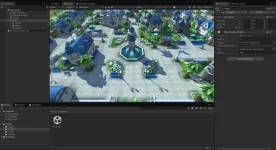
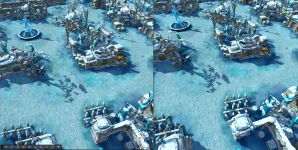
Tales of Pirates [Unity]

I would choose the approach without backward compatibility with the original client, because in 2026 it is barely relevant anymore and would bring a huge amount of legacy baggage with it. In other words, we would prepare only Unity-friendly assets.

At the same time, modding could remain similar to the classic version. We could keep table-based data files, such as JSON, as well as textures, models, and effects in an open format—or package them into containers to improve read and write performance.

Unity is an excellent engine, and we should take full advantage of its capabilities instead of relying on outdated approaches inherited from the original game. However, this would require a significant amount of manual work.

For example, hitboxes are currently stored separately for each item worn by a character. Instead, we could attach them directly to the skeleton. This would make them accurate at all times, regardless of the equipped clothing, and would eliminate a well-known bug.

In my experiments, I also created a round-trip Blender–Unity–Blender model format. Yes, it is a custom format, but it makes it possible to load any model into a 3D editor at any time and, for example, create a new animation while keeping the rig consistently correct.

We could also use all existing clients and their resources as a foundation. This would allow us to collect every original game asset ever released in one place. However, this would require manual sorting because there are filename collisions.

In the future, this would also allow us to create universal weapons for all four races. For example, a staff could use a single model shared by all four races.

The dummy points that are currently embedded in LGO files could be moved into JSON files. Their positions and scale could then be configured directly in the client for each race. This would allow us to remove an enormous number of unnecessary duplicate weapon models from the client.

The same approach could be used when one model has multiple textures: we would simply create different variants based on the same model.

All of these changes make backward compatibility impossible, but I do not believe it is necessary anymore.
 
  • Like
Reactions: milten21
I love where this has gone. Honestly, I think I'm going to archive my bgfx client work for this. I asked some people in real life what they liked, and everyone who wasn't already familiar with ToP/PKO preferred the Unity client's modern look. Nostalgia gets me, but I see the upside of the migration to Unity. Could be a real way to get more people into the community too. It looks like Magic Sea has done something similar, and if more of us get behind it, more people might be interested in playing this game again.

Since milten asked for thoughts on the operational models, here's the view from the server-operator side. Strong vote for #2 (runtime loading of original formats), and I'd push back gently on dropping original-client compatibility. The reason a Unity client is exciting to people who actually run servers is precisely that it can point at an existing server and play. We add items, maps, and models constantly. With runtime loading, all of that content just works on day one. The moment the client requires converted assets (JSON tables, a new model format), every server needs a conversion pipeline in its content loop before its stuff exists in the new client, and the client stops being a drop-in choice for players.

That said, awezx211's ideas don't have to conflict with compatibility. Original formats as the floor, open formats as an opt-in override layer (which is basically milten's Tier-1 modding concept already): the client loads .lgo/.lab/etc. natively, and where a server ships a JSON/glTF override for the same ID, that wins. New projects get the clean pipeline, existing servers keep working, and things like skeleton-attached hitboxes or shared weapon models live in the override layer without breaking anyone. Compatibility and modernization as layers, not a fork in the road.

Two write-path landmines from building our own Blender round-trip tooling for these formats. These never bite when reading files for rendering, only when writing files the original engine must load (relevant to any editor/conversion tooling, including round-trip format work):

  1. The helper/dummy block in .lgo/.lmo is load-bearing and can't be regenerated from mesh data. We proved this the hard way: a round-tripped rigged model that was bit-identical in every render-driving field (zero vertex/normal drift, identical indices and skin weights, same FVF/declarations, original .lab kept) but with a rebuilt helper block still rendered wrong in the original client. Carry the original helper block through untouched. Reconstructing it from bounding data looks right and fails invisibly.
  2. Stale section sizes on version-upgrading re-saves. Re-save an older 0x1004 asset at 0x1005 and the anim block grows (+64 bytes per geom object) while the geom header keeps its stored anim_size, so the offsets desync and the file won't load. Recompute every section size from the bytes actually emitted.

And for completeness on the write side (imports that render fine can still export broken): the engine<->glTF basis change is exactly (x,y,z)->(x,z,y) with det = -1, so it also flips triangle winding. Invert both or exports come back inside-out.

We're working in this direction ourselves and are happy to contribute where we've already solved things, or where we solve them ahead of you. The UI is a good example: milten mentioned porting it is significant effort, and I already rebuilt the entire client UI in RmlUi (HTML/CSS-style markup and stylesheets), so there's a complete, working modern UI for this game to match 1:1. If you hit walls we've been through, reach out. From your recent PoC video you're still ahead.
 
  • Like
Reactions: milten21
First of all, thanks to both of you for sharing your thoughts, really appreciate it!

Sorry for the late response - it took me a while to make up my mind and compose it into this post.

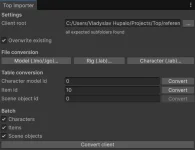
I tend to agree with @awezx211 about dropping compatibility and leveraging Unity's capabilities, but let's be a bit more specific about what kind of compatibility. What I'm comfortable breaking is client resources. That said, it shouldn't be hard to make the Unity client support your client's resources - there'll be a dead-simple conversion tool you can point at the root folder of your client, and it does all the magic for you.

The other kind is server compatibility. Even though I'd like to end up rewriting the server side too, I don't want to bloat the scope of the first playable release, so it should stay compatible with the original server.

I see 3 big roadmap steps:
1. Unity client works with the original server
2. Server side rebuilt, Unity client works with both
3. Original client support is dropped, and we can start on whatever new features you can think of

Steps 2-3 are only possible if the Unity client release is successful and people are actually interested in it - which is exactly why I want to keep the first release as small as possible.

Regarding @Panda 's comment about pointing Unity at existing servers: this one's tricky, because the assets need to be in sync with that server. It's easy with the OpenMW approach, but for us it's a complex problem. A few options:

1. We don't - just focus on one server we agree on as a base reference. The simplest and least attractive option; the client would be more of a prototype we run a public playtest with, and if it succeeds we move forward with the server rebuild and modding.
Worth mentioning: you could still join most original servers, as long as the protocol matches (see the handshake note below). Any content the client is missing (data tables, NPCs, items, etc.) would be shown as placeholders.
2. T1 modding, client-built mod, no server push. The client is pointed at the target server's client, and the compatibility mod is built automatically - either by the game client itself or by running the tooling.
3. T1 modding, server-provided mod, no server push. The server owner opts in by preparing a compatibility mod that players download and install manually. A temporary solution until the server is rebuilt and can push mods to the client.
4. T1 modding with bridging server push. The server owner opts in by preparing a compatibility mod and running a simple sidecar (e.g. AssetsServer) that pushes it to the Unity client - just two endpoints, list mods and download mod, with no interaction with the original servers at all. Unity tries to reach it before connecting, and if it's available, downloads mods automatically. The most appealing and closest to the end vision of the three opt-in options, but the most extra work.

Another thing I ran into while implementing networking: different clients ended up with different server protocols. For example, Mothanna's client (my reference) and the PKO public server use different handshakes with different payloads - mostly because Mothanna added encryption to his client. Beyond that, some message payloads differ too (at least CharBeginSee). This is the same reason option 1 leans toward picking a single reference protocol for v1: a protocol mismatch isn't something placeholders can paper over.

@Panda, glad people liked how it looks! On the nostalgia comment - the beautiful thing about what we're building is that we have full control of it. Want nostalgia mode? Just swap the shader / change graphics options in settings! :D We're not changing the models themselves, only re-exporting them, so it should be possible to get that nostalgic look (or very close) with proper work on shaders and graphics.

On bringing in new people or getting old players back: once we rebuild the server, I have an idea to merge GateServer, GroupServer, and GameServer into a single binary that uses multithreading instead of multiple GameServer instances, with an abstracted DB layer (so SQLite could be used). That would let us run it as a subprocess of the game - a Singleplayer mode (which I don't think makes much sense for this game) but, more importantly, a Multiplayer mode where others connect to your locally-running instance. A lot of people don't have time for MMOs, and a chill co-op PVE experience - no competition, no huge time investment - might appeal to them. It'd also need easily configurable balance and a special mazes mode. Crazy long-term idea, though; we need a client up and running first.

Also, when I asked for your thoughts, I didn't just mean the operating model - I meant the end product in general. I'd like to understand what kind of thing I'm building and how it should function (and I really hope you'll jump in and help at some point :D). Community feedback is genuinely valuable here, because if people won't use it, there isn't much point building it.

There's a bigger decision to make, so let me give a bit more detail on how Unity loads resources. Two main axes here - build-time bake vs. runtime convert - which map roughly onto two mechanisms:
1. AssetBundles / Addressables (build-time). When you drop a resource into Unity's Assets folder, a ScriptedImporter processes it into Unity types - Prefab, Mesh, AnimationClip, Texture2D, etc. At build time Unity doesn't care where those meshes came from, it just serializes them into a bundle ready to load at runtime. So with this approach we don't care about the source file format, and we can write custom ScriptedImporters - if someone really wants to feed in .lmo/.lgo, that's easy to support (both @awezx211 and I already have). Downsides: modding requires Unity to compile a mod (so T1 modding gets a bit more involved), and bundles are Unity-version-sensitive - a mod has to be built with the same Unity version as the game (backward compatible within a range, but not forward).
2. StreamingAssets (runtime). A plain data folder the game reads at runtime, whatever files you place there. The game loads each file individually and converts it to Unity data on startup or on scene load - so slower loads, since it's redone every launch. Mitigated by a persistent on-disk cache so only the first startup is slow. Mods can be built the way I described, but it adds complexity to keep performance acceptable.

I think we can support both, but I can't yet say how much effort that is - I need to dig deeper to assess feasibility. Data tables can go either way. And honestly, once I think about it: it should be possible to load .lgo either way, but is it worth it when the tool can just convert it automatically?

Let me break the rest down by topic and weigh the options individually.

3D models (.lmo / .lgo / .lab)

I think an automatic one-way glTF conversion tool is the best option. But before committing, I want to explore the format itself - I'm concerned it may not cover every piece of data in the original formats, and those pieces would have to go into a supplementary .json (as @awezx211 suggested) or into glTF extras.

One known issue: glTF doesn't support UV animation. Animation channels only target translation/rotation/scale/morph weights - there's no UV channel, and KHR_texture_transform only covers static UV transforms. This affects ~30–40 scene objects, so those will need extras or a sidecar. Needs a plan.

Could either or both of you share a small set of your exported glTFs? An equipment set and a few scene objects would do (by-bd015 in particular). I'd like to see how you worked with the format and play with loading them into my PoC. I'd also like to know whether your tooling emits any extras to keep .glTF -> .lgo round-tripping possible, before I write my own converter. That'd be really helpful.

I'm hesitant about supporting the original formats at runtime. We have all the loading/conversion code already, but I'm not sure it's worth the runtime overhead. @Panda, I understand your concern about setting up a conversion pipeline for every new asset added to the server - so let's at least make the tooling extremely simple: point it at your client and get a ready-to-use mod, no per-asset work. I'm currently leaning toward baking a base content pack into a Unity bundle, and supporting both runtime and Addressables for modding - but I need a prototype to really understand how it plays out.

I'm on vacation next week, once I'm back I'll build that prototype and come back with a clearer answer.

Textures (.dds / .bmp / .tga)

Simplest and most straightforward decision - migrate to .png (+ optionally .ktx2). I'd drop the existing texture formats entirely because the original assets rely on color-keying - specific colors standing in for transparency - instead of a real alpha channel. Converting to PNG lets us bake proper alpha once and be done with the color-key handling.

Effects and particles (.eff / .par)

.eff files are just animated meshes and planes - potentially convertible to glTF too (need to check whether it covers all the animation types .eff uses), or to Unity prefabs. I don't think the format is worth keeping long-term, new effects content for the Unity port should rely on Unity's VFX systems (e.g. VFX Graph). Existing ones could be reworked, but that's a huge amount of manual labor - not something scripts can automate.

.par is more complex: some particle system types map to Unity's ParticleSystem, but most don't. Not sure yet what to do with those. Same note for new content - just use Unity's ParticleSystem.

I have an idea to migrate the .eff/.par files that don't map cleanly onto their own .json schemas with a dedicated renderer, but I'm not sure it's worth it - keeping them as-is might be simpler. Worst case, we keep them as legacy, I have a working runtime for them, though it's buggy and incomplete.

Data tables (.txt / .bin)

These split into two kinds: client-only, and gameplay tables shared with the server.

I'd like to eliminate as many client-only tables as possible. For example, we can drop sceneobjinfo and sceneffectinfo by breaking them into individual .json files - so instead of one monolithic table, many small .json files. That's a huge win for modding: to add a new scene object, all you provide is a .json config + a .glTF mesh + a .png texture.

For gameplay tables, we can support both the existing CSV-style .txt files and new .json files - not much effort to do both.

Map (.map / .obj / .pk / .blk / .atr)

Three options:
- Convert to a Unity scene. The most Unity-heavy option, but it complicates sharing the map copy with the server and possibly modding. The Unity editor could export .blk and .atr from the scene for the server to consume.
- New map file format - essentially .map + .obj + .blk + .atr combined into one file, with Unity as the editor. A single file per map would be very useful for modding and the server rebuild.
- Keep the original formats, with Unity as the editor.

Either way, a Unity-based map editor that enforces all the ToP/PKO map specifics seems doable, and it'd be a genuinely cool feature - map editing with the current toolchain is a pain point. The one thing I haven't figured out is the vertex-color map tint: preserving it is no problem, but I don't yet know how to make it editable.

As for .pk (minimap), I don't think we need it anymore - it's easy to generate, or we can render the map in real time with an extra orthographic camera.

UI

Haven't decided yet. One thing I'm sure of: I'm not porting the old Lua "layout engine" - too much effort for too little gain. @Panda, I looked into RmlUI and couldn't find much on using it with Unity. We can try - at least it's HTML + CSS flavored, so we could find an alternative that fits that approach in Unity. Chatting with AI about Unity UI, it recommended rebuilding with Unity's UI Toolkit (MVVM with UXML/USS) for our case - worth a look. I also want to research how Eco does its UI, it seems very flexible and data-driven.

Client baseline

I haven't been in ToP/PKO development or playing on servers lately, so I don't have a full picture of what to use as the content base for the Unity client. This is where I'd really lean on your help. Like @awezx211 said, we can collect resources from multiple clients - I just don't know which ones. Should we consider 2.0+ clients too? Right now I'm using Mothanna's client as a reference.

 
Last edited:
  • Like
Reactions: Panda and zLuke
Great writeup, this is shaping into something real. Answers to your questions, plus a few takes from the server-owner side.

Round-tripping / extras: yes, it's preserved. Our tooling emits glTF extras for everything the format can't express, and that's what keeps .glTF -> .lgo possible. Concretely:

  • The helper/dummy block is carried through as nodes with their full matrices and metadata in extras, and our importer reads it all back. This is the big one. It cannot be regenerated from mesh data, we proved that the hard way: a byte-identical mesh with a rebuilt helper block still renders wrong in the original engine. For .lmo scene objects our write-back injects edited geometry into the original file as a template instead, so helpers, prim IDs and anim blocks are preserved verbatim.
  • Section sizes are recomputed on write, never copied through. Stale sizes desync every offset after them.
  • Blend/filter states are stored as the raw D3D9 enum ints. Don't remap them to your engine's enums at rest, translate at load time instead. The values in .eff/.par files are D3D9 numbers and nothing else.
  • The Z-up to Y-up basis change has determinant -1, so it reverses triangle winding. You have to convert both together or models come out mirrored/inside-out. This one will bite in Unity specifically, worth handling on day one.

Samples attached: an equipment set (sword / greatsword / bow / gun / accessory, all with dummy helper nodes) and three scene objects including by-bd015. The README inside documents the full extras schema, and since glTF is JSON you can open any file and see it directly rather than take my word for it.

On UV animation: you're right that glTF has no UV channel. Our answer to that whole class of gap is the same extras pattern: by-bd015 in the samples carries its UV animation as per-frame 4x4 UV matrices in node extras (texuv_anims), plus texture flipbooks and opacity tracks in the same shape, and a small runtime component drives them. Since it's ~30-40 scene objects, a generic driver plus per-object data seems much saner than special-casing.

Your step 1 (Unity client against the original server first) is the right first gate. Prove the drop-in story before rebuilding anything server-side.

On UI: small clarification, our RmlUi rebuild is on the classic C++ client, not Unity. For Unity itself I'd go UI Toolkit without much hesitation. The RML/RCSS to UXML/USS mapping is clean (both are HTML/CSS-shaped), so anything designed in one moves to the other without rethinking layout.


Attachments

  • Screenshot 2026-07-17 202817.webp
    Screenshot 2026-07-17 202817.webp
    385.7 KB · Views: 12
  • Screenshot 2026-07-17 202423.webp
    Screenshot 2026-07-17 202423.webp
    427.5 KB · Views: 11
  • pko-gltf-samples.zip
    pko-gltf-samples.zip
    29.6 MB · Views: 2
Last edited:
  • Like
Reactions: milten21
I don't use glTF. Regarding UV animations, they don't need to be written to the model. In Unity, this is done using a shader or script (component). That is, in the resource manager or JSON, you need to pass the logical state of the model to apply the required material or script; essentially, it's something similar to an effects player. Effects should be left as is for now, because they require a lot of semi-manual work. Perhaps in the future, neural networks will become smarter and manual conversion will be avoided. Regarding the map, I'm leaning toward not using TerrorRane Unity, but using my own system that can be expanded later. TerrorRane Unity is very good, but it is very promiscuous in its functionality. I would split the map into two files: map and path. The map contains the TerrorRane, and the path contains the path map. The client needs both files, and the server only needs the path. I'm attaching my own variation of an improved terrain system based on the game's logic, which offers more artistic control and tools (for example, selective network compaction, texture tiling density, individual cell coloring, and vertex colors). This system is a module for my other, unrelated game, but I'm simply showing it to provide an implementation example. I think it will be better than the standard Unity system, especially if it's properly refined.
Regarding the UI system, the UI toolkit you're using is the worst choice. It can't replace a full-fledged interface. I've worked with it before, and it's time-consuming. This system should be improved in future engine versions, but it's best not to use it now. In fact, the standard Unity system covers 100% of your needs (well, maybe you can also install a package that allows you to draw Unity effects in canvas). So I recommend sticking with uGUI—it's simple, flexible, and an industry standard. Combined with DOTween, it covers all your needs.


You might think UXML/USS is a good thing, and neural networks will tell you so. Yes, it is, it's a very good thing, but not right now; it's not ready. I have two commercial projects; I use the new system in one and the old one in the other. Logically, the new system should save me time, but in fact, the old one is faster, simpler, and produces more beautiful results. Also, the new system can have layout display issues depending on the device being launched. In the future, if Bnity brings the UXML/USS format into line, it will definitely be better.Regarding clients, I used all the official clients: 1.36, 2.0, 2.6, 3.0, as well as some models from Zero of the World. You need to focus on official sources.

Please, Log in or Register to view URLs content!
 

Attachments

Last edited:
  • Like
Reactions: milten21 and Panda
Wow @Panda, it seems you're way ahead of me on feature completeness.

Thanks for sharing the assets - I took a look and got some ideas about how to build the glTF exporter.

One big thing I noticed: it's a single .gltf file with the mesh data and textures embedded as base64 strings. That format doesn't suit runtime loading (it's fine for the editor import path, though). Base64 inflates binary data by ~30-40%, which means both a bigger client and slower loads. The better options are exporting .gltf + .bin + external textures, or a single .glb (the same payload in binary form, everything packed into one file).

@awezx211, on effects - some can be converted easily, but not all. I think you're right that sticking with the old ones is the best starting point. I doubt it's worth mixing different particle-system implementations (e.g. modernized ones and legacy ones), and I already have a working runtime for rendering them (just a some bug fixing to do). It also keeps the scope smaller.

I understand the optimization behind splitting scene-object placement from the navigation grid. My reasoning was that if we go with server-pushed modding later, the server ends up holding both the client- and server-needed data anyway, and keeping a single map file is easier to maintain.

Thanks a lot for sharing your terrain implementation! I was considering a custom renderer too, but I'm not fully sure about it. My main hesitation is that Unity's Terrain comes with a lot of out-of-the-box editing tooling, but I have no idea how to make it work cleanly with per-vertex tile color. On the other hand, we might not need much terrain tooling - polishing what you've already built might be more than enough. I'm leaning toward your terrain solution, but let's leave this open for now, I haven't dug into how your implementation works yet and want to play with Unity's a bit more first.

And a few updates from my side.

First, I've clarified everything I wanted to, and I can now state clearly that mixing the runtime and Unity-baked paths is not an option. It brings a lot of complications and basically creates two sources of truth, requiring two pipelines plus some mechanism to reconcile the data between them. So it narrows down to one of two - runtime loading or Unity-baked assets. Both have pros and cons.

With the runtime path, we convert the original assets into their modern equivalents (e.g. .lmo/.lgo -> .gltf, with ToP-specific bits written as extras or paired .json files) and load all of it at runtime, mostly as I described in my previous post with some minor corrections. The conversion tool is a CLI app. This makes modding extremely simple, but it minimizes how much we lean on the Unity Editor: the Unity-native assets (materials, prefabs, ScriptableObjects) are not used, so building rich in-editor tooling (like map editor) on top of them is much harder and might not be feasible.

The Unity-baked path does mostly the same conversion, but instead of writing ToP-specific data into .json/extras it creates Unity assets directly. The conversion tool only runs inside the Unity Editor (e.g. as a MenuItem). This is the most classic Unity approach - it barely matters which file format the models come from, since Unity converts them into its own types (Mesh, AnimationClip, …) at import time, it's just about linking slots in ScriptableObjects and composing prefabs. The downside is that modding gets more complicated: you can't load plain .gltf from a mod, mod visual assets have to be baked in Unity, so we'd need to ship a modding SDK for that. Client compatibility is still possible - you can compose a custom client-based mod with overrides - but it must be done using the Unity Editor.

To put it simply: it's either easy modding or advanced tooling. I'll put together a more in-depth comparison later. I'm genuinely torn between the two and want to run some experiments before making the final call.

Second, I've started work on the glTF converter and pushed it to a public repo. We'll need it regardless of which path we choose, the only difference is how the ToP-specific bits that glTF can't express are handled (extras/sidecar JSON on the runtime path, Unity assets on the baked path). For the baked path we could also consider FBX, but I think glTF works better - it's an open format and much simpler to write.
 
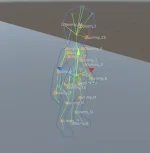
And one more thing about the glTF exporter: I've managed to export CharacterAction.tx and its related .lab files into a separate glTF rig file. This lets you attach body parts to the rig and preview them on the character. In theory it's also possible to author new animations and poses, though that'll need some special steps to export them properly.


I forgot to mention. Separate rigs are really only needed for the characters; all other monsters don't reuse lab files. So essentially, for all labs except the characters, they can be merged with the grid.

Also, please note that the original game uses CPU skinning, whereas Blender and Unity use GPU by default. I don't know how it's set up on your end now, but earlier I couldn't figure out why the animation results for some monsters were slightly different. For reference, I used the boss from the Dark Swamp — the Mud Man. Please pay attention to how he will look visually during animations (especially on death) in the old file viewer versus in your Blender/Unity setup.

Also, in my personal opinion, the system with 56 animation slots for each entity and their frame ranges looks, to put it mildly, strange. And if we translate it into Unity's reality, it clearly needs refactoring. However, I haven't looked into how commands are sent to the server and what would be the best way to redesign it. At the very least, it imposes a limit on the maximum number of animations and ties them to "slots" (I don't know the correct term for this), which generally causes confusion — for example, why in the skill slots of some entities the animation is not for the skill but for something else entirely. A Unity-friendly JSON or ScriptableObject is needed, one that would provide references to the required clips for each entity, so we don't rely on conditional magic numbers that are already considered archaic, being legacy from the old engine.
 
@awezx211 — fair to push back on UI Toolkit, and I know the reputation it earned in its early years. But I have to give the opposite datapoint from real production, not theory: I've built a full game UI on it — the whole panel set (bags, equipment, vendor/smith service windows, skill hotbars, character/fairy frames, chat, minimap — dozens of panels), translated from the original RML layouts into UXML/USS. It absolutely can carry a "full-fledged interface." The catch is that you have to stop treating it like uGUI: it's retained-mode with a real cascade, so you lay out with flex/USS and drive the view from a controller that rebuilds it when state changes, instead of poking transforms every frame. Where it does bite is that the RML→UXML translation silently drops element-type selectors (#parent img, > span), so a mechanical converter leaves dead rules — those fixes have to be hand-written. Drag-and-drop is also fiddlier than uGUI's and needs pointer manipulators with a drag threshold. Past those, it's been more maintainable for me than a uGUI hierarchy of the same size, and DOTween-style tweening has a native equivalent in the USS transitions / animation API. Not saying uGUI is wrong — if your team already knows it cold, ship it — but "can't replace a full interface" hasn't matched my experience.

@milten21 — on the runtime-vs-baked fork, I'll keep beating the same drum because I'm living on the other side of it: runtime loading of the original formats works, in a shipping client, against a live server. The "two sources of truth" worry is real but I think it resolves the other way for a server that's alive. We add items and content on the server side regularly, and the value of runtime loading is that the moment the server references something the client already has the original asset — no conversion pass, no rebuild, no addressables catalog to republish. Even if you're not authoring new models yet, that property is what keeps the client decoupled from the content pipeline; the baked path re-couples your client releases to content, and for a running game that coupling is the tax. My take: make runtime the floor (the thing that's always correct) and let glTF/JSON be optional overrides on top — you get the modding ergonomics without a second canonical source. Glad the glTF converter is going public; .glb / external .bin is the right call over base64 for anything runtime.

@awezx211 — agreed on the rigs, with a nuance from our side: the player skeleton is a small shared family (animation\0000.lab..0003.lab, all four races off the same set), so the separate-rig export really is a player-character concern plus the equippable parts hanging off that skeleton. The CPU/GPU skinning drift you saw on the Mud Man is worth flagging loudly — it's the kind of thing that looks right on 90% of models and then one authored mesh exposes it. On the "56 animation slots feel archaic" point I'd push back a little on renumbering, though: the pose IDs aren't purely a client convention. CharacterAction.tx is keyed by pose ID — it maps each pose to its {start, end, keyframe} range per character type — and a subset of poses (emotes, sit, face) actually ride the wire so other clients replay the right animation. There's no server-side pose table, but the numbers are still load-bearing as an index. The original already half-solves the readability problem with symbolic POSE_* constants (POSE_SEAT, POSE_DIE, POSE_RUN…). I'd put a JSON/ScriptableObject naming+metadata layer on top of the numeric IDs rather than renumbering them — you get the clean authoring surface without desyncing the data table or the wire.

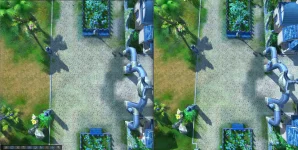
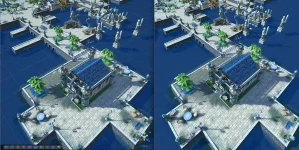
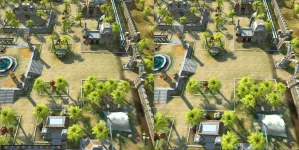
Here's where my development is at — a short preview below. The most annoying thing I've hit is the basis change: engine (x, y, z) → Unity (x, z, y). Because that swap is det = −1 it mirrors the mesh and reverses triangle winding, so it takes a lot of hand-crafting and per-case testing — yaw offsets, winding, and per-instance mirrors all fall out of it differently, and I still haven't found a single blanket fix that covers everything at once.


  • Like
Reactions: zLuke